Лучшие AI-фоторедакторы без ограничений: краткий обзор
| Место |
Редактор |
Среда запуска |
Метод редактирования |
Текущий ориентир по стоимости |
Лучше всего для |
Главный компромисс |
| 1 |
GPT Proto |
Онлайн |
Промптинг по референсному изображению |
Требуются кредиты; Seedream 4.5 сейчас показывает около $0,034 за запуск |
Быстрое редактирование в браузере |
Изображения передаются стороннему поставщику моделей |
| 2 |
ComfyUI |
Локально или самостоятельно размещённый |
Маски, инпейнтинг, нодовые рабочие процессы |
Бесплатное ПО; оборудование не бесплатно |
Максимальный контроль |
Самая высокая сложность настройки |
| 3 |
Draw Things |
На устройстве |
Преобразования по промпту и Infinite Canvas |
Бесплатно |
Приватное редактирование офлайн |
Производительность зависит от устройства |
| 4 |
Krita AI Diffusion |
Локально или на подключённом сервере |
Инпейнтинг и аутпейнтинг внутри Krita |
Бесплатно, GPL-3.0 |
Художники, которые уже используют редактор с холстом |
Требуется настройка плагина и модели |
| 5 |
InvokeAI |
Локально или самостоятельно размещённый |
Unified Canvas, кисти, инпейнтинг/аутпейнтинг |
Самостоятельно размещаемое ПО |
Повторяемые студийные рабочие процессы |
Больше администрирования, чем в браузерном инструменте |
| 6 |
AUTOMATIC1111 |
Локально |
img2img, инпейнтинг, аутпейнтинг, пакетное редактирование |
Бесплатно, AGPL-3.0 |
Опытные пользователи Stable Diffusion |
Более старый, перегруженный интерфейс |
| 7 |
NanoImage |
Онлайн |
Редактирование изображений по промпту |
20 кредитов при регистрации; сейчас редактирование показывает 5 кредитов за операцию |
Быстрая проба без локальной настройки |
Бесплатного лимита хватает примерно на четыре редактирования |
| 8 |
ZenCreator |
Онлайн |
Заявленные вендором инпейнтинг, рестайлинг и улучшение |
Тарифы рекламируются от $19,99/месяц |
Хостинговое редактирование с несколькими инструментами в одном аккаунте |
Большинство доказательств опубликовано вендором |
Что означает «без ограничений» для фоторедактирования?
«Без ограничений» — неточное маркетинговое слово. Здесь я использую его в более узком, проверяемом смысле: редактор принимает существующее изображение, сохраняет промпт, а не смягчает его незаметно, и даёт пользователю значимый контроль над преобразованием.
Это не означает неограниченное бесплатное использование. GPT Proto всё ещё списывает кредиты, бесплатный лимит NanoImage ограничен, а локальное ПО всё равно расходует ваше оборудование и электроэнергию. Это также не отменяет обязательства по авторским правам, согласию, конфиденциальности или публичности.
Есть ещё одна граница, которую стоит чётко обозначить. Text-to-image начинается со слов; image-to-image начинается с пикселей. Если вам нужен инструмент для чистого холста, используйте это сравнение AI-генераторов изображений без ограничений. Рейтинги ниже предназначены для редактирования фотографии, которая у вас уже есть.
Как я оценивал эти редакторы
Я использовал шесть фильтров:
Ввод реального изображения: Может ли инструмент принять существующее изображение, а не просто сгенерировать похожее?
Контроль редактирования: Поддерживает ли он инструкции для всего изображения, маски, инпейнтинг, аутпейнтинг или несколько из этих вариантов?
Сохранение: Может ли рабочий процесс сообщить модели, что должно остаться неизменным?
Обработка промптов: Чётко ли сервис описывает переписывание или блокировку промптов?
Стоимость и конфиденциальность: Что на самом деле бесплатно, где обрабатывается изображение и кто ещё его получает?
Доступность: Был ли редактор или его документация доступны во время этого обзора?
Последняя проверка исключила одного явного претендента. OpenMediaTools рекламировал редактирование без входа и до четырёх входных изображений, но его страница показывала «Инструмент сейчас недоступен» при проверке. Мёртвый бесплатный инструмент — не рекомендация.
1. GPT Proto — лучший онлайн-редактор AI-фото без ограничений
Неограниченный редактор изображений GPT Proto имеет самый чистый путь от исходного изображения до готовой вариации в этом списке. Загрузите фото, добавьте одну или несколько референсов, опишите изменение, выберите настройки вывода и сгенерируйте. Текущий интерфейс включает опцию 2K, а также дополнительные действия для апскейлинга и анимации.
Полезная деталь — обработка промптов. GPT Proto говорит, что отправляет промпт как введено и не применяет скрытую блокировку ключевых слов перед генерацией. Интерфейс также показывает элемент управления Safety Checker. Иными словами, «без ограничений» относится к творческому вводу и сохранению промпта — а не к отсутствию всех мер защиты или правил сервиса.
При редактировании чётко указывайте, что остаётся неизменным:
Замените серый студийный фон на залитую солнцем кухню. Сохраните лицо человека, позу, одежду, угол камеры и кадрирование без изменений.
Это предложение о сохранении важно. Расплывчатая инструкция «поместите этого человека на кухню» даёт модели разрешение переосмыслить весь кадр.
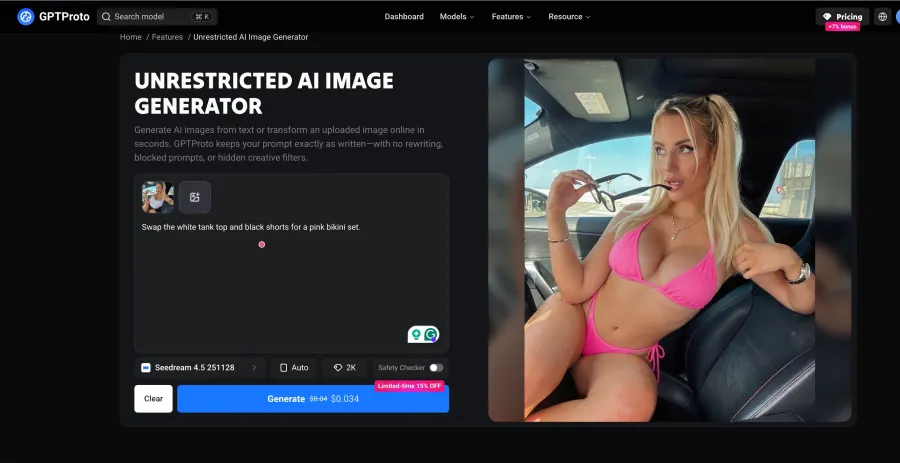
Стоимость: актуальная страница модели редактирования изображений Seedream 4.5 показывала приблизительно $0,034 за запуск во время проверки. Итоговые списания могут меняться в зависимости от выбранной модели и настроек.
Компромисс: это хостинговый сервис. Политика конфиденциальности GPT Proto говорит, что входные изображения и промпты передаются стороннему поставщику модели, выбранному для запроса. Там также сказано, что входные/выходные данные API обычно хранятся только в течение короткого периода, необходимого для обработки транзакции и отладки ошибок. Если фотография не может покинуть ваше устройство, выберите вместо этого локальный редактор.
2. ComfyUI — лучший для максимального локального контроля
ComfyUI — самый сильный вариант, когда «без ограничений» означает самостоятельный контроль всего рабочего процесса. Его официальная документация по Mask Editor описывает рисование и редактирование масок прямо на загруженном изображении, а официальный рабочий процесс инпейнтинга охватывает замену выбранных областей, а не перегенерацию всего кадра.
Проект представляет собой графовый GUI, API и бэкенд, распространяемые под GPL-3.0. Такая нодовая структура позволяет выбрать чекпойнт, сэмплер, путь маски, ControlNet или референсное кондиционирование, апскейлер и цепочку вывода. Мало хостинговых редакторов предоставляют столько возможностей.
Контроль — это преимущество. Настройка — это плата. Вам понадобятся совместимое оборудование, файлы моделей, хранилище и достаточно терпения, чтобы диагностировать сломанные пользовательские ноды после обновления. Я бы выбрал ComfyUI для повторяемых производственных рабочих процессов, а не для разовой замены фона.
3. Draw Things — лучший бесплатный офлайн-вариант
Draw Things — это практическая золотая середина между браузерным редактором и полноценной установкой ComfyUI. На его официальном сайте сказано, что приложение бесплатное, работает локально и офлайн, и сохраняет рабочий процесс на устройстве. Там также перечислены Infinite Canvas, фототрансформации, улучшение и локальное обучение LoRA.
Это лучший выбор, когда важна приватность, но не нужен граф узлов. Infinite Canvas особенно полезен для расширения кадрирования или восстановления пространства вокруг объекта.
Затраты смещаются с кредитов на оборудование. Большие модели и редактирование в высоком разрешении по-прежнему требуют памяти, места на диске и времени. «Бесплатный» описывает программное обеспечение, а не неограниченные вычисления.
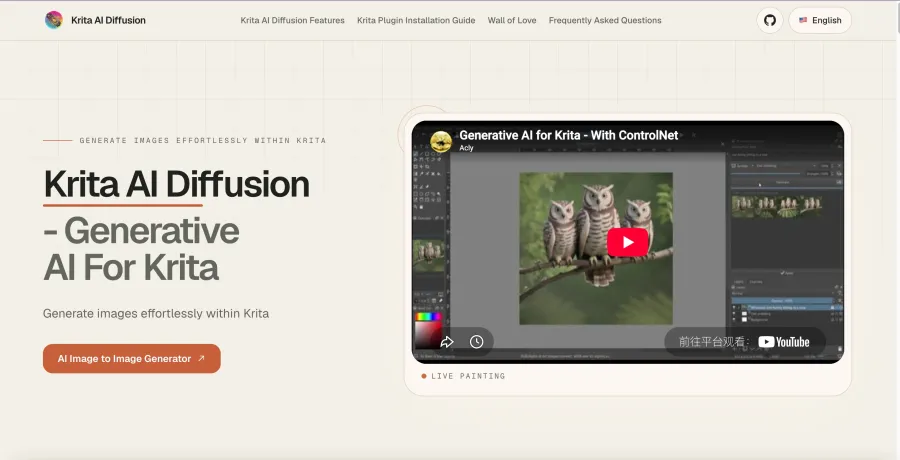
4. Krita AI Diffusion — лучший для редактирования на холсте
Krita AI Diffusion привносит генеративное редактирование в устоявшийся интерфейс для рисования. Официальный репозиторий проекта перечисляет inpainting и outpainting с необязательным текстовым запросом, а также возможность использовать собственный сервер ComfyUI. Распространяется под лицензией GPL-3.0.
Такая организация лучше, чем просто поле для запроса, когда редактирование начинается с кисти. Художник может выбрать точную область, нарисовать грубый ориентир, сгенерировать в этой области и вручную исправить результат, не экспортируя между отдельными приложениями.
Компромисс — это сборка. Вам нужны Krita, плагин и либо локальная инфраструктура моделей, либо настроенный сервер. Он оправдывает своё место за счёт контроля редактирования, а не мгновенной настройки.
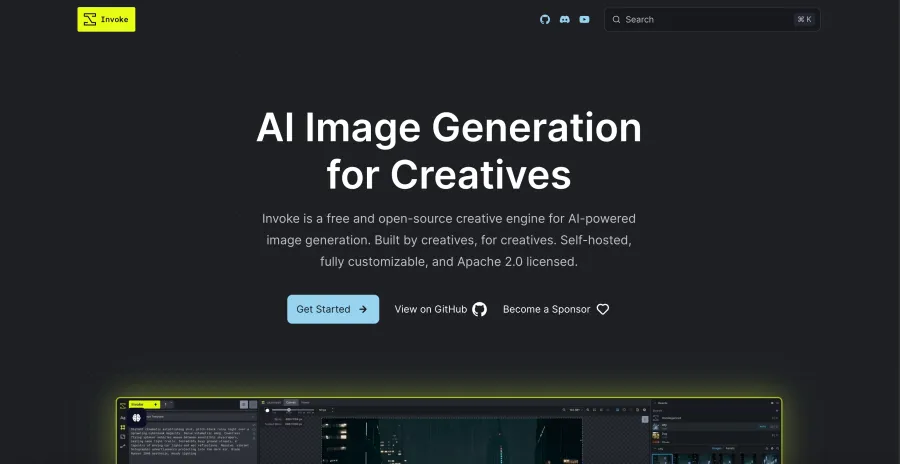
5. InvokeAI — лучший для структурированных творческих рабочих процессов
Unified Canvas от InvokeAI поддерживает инструменты кисти, inpainting, outpainting и более широкий рабочий процесс генерации в одном рабочем пространстве. Его менеджер рабочих процессов на основе узлов может сохранять и делиться повторяемыми конвейерами, а галерея хранит изображения и метаданные генерации для последующего ремикса.
Это делает InvokeAI более подходящим для студийного процесса, чем для единичного необычного редактирования. Вы можете доработать фотографию, сохранить настройки и передать тот же рабочий процесс другому человеку.
Недостаток аналогичен ComfyUI: кто-то должен управлять инфраструктурой. Браузерные инструменты скрывают загрузки моделей, обновления, очереди и хранение. InvokeAI делает эти части вашей ответственностью.
6. AUTOMATIC1111 — лучший для опытных пользователей Stable Diffusion
AUTOMATIC1111 остаётся полезным, потому что его официальный список функций включает img2img, inpainting, outpainting, пакетную обработку, восстановление лиц и несколько вариантов апскейлинга. Это прямой набор инструментов, а не управляемый редактор.
Такая широта помогает, когда вы уже знаете силу шумоподавления, маски, контрольные точки и расширения. Пакетный img2img также ценен, когда одну и ту же трансформацию нужно применить к папке, а не к одному фото.
Интерфейс — это плата. Новые пользователи сталкиваются с множеством элементов управления, прежде чем увидеть хороший результат, а расширения добавляют ещё один уровень обслуживания. Выбирайте его для доступа к экосистеме Stable Diffusion, а не для аккуратной первой сессии.
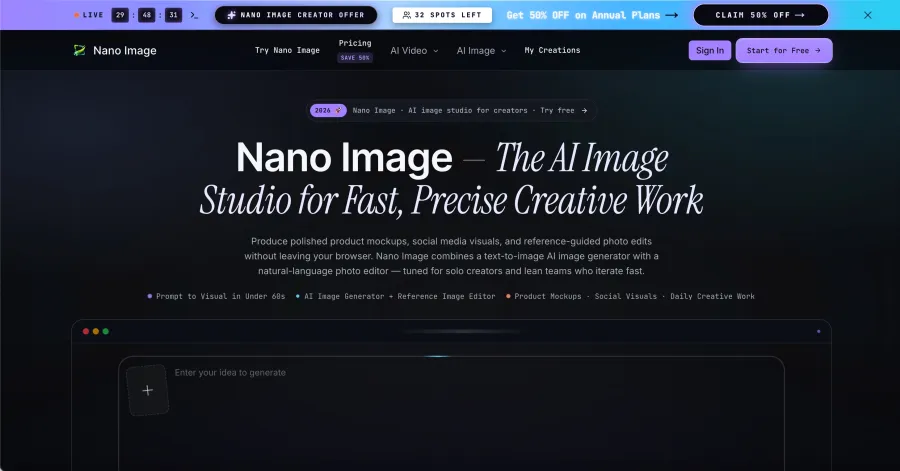
7. NanoImage — лучшая простая альтернатива на основе кредитов
NanoImage предлагает простой браузерный рабочий процесс: выберите Image Edit, загрузите или выберите источник, введите инструкцию и выберите параметры вывода, которые сейчас включают 2K и 4K.
На его странице цен бесплатный лимит легче подсчитать, чем предполагает слово «бесплатно». Регистрация сейчас предоставляет 20 разовых кредитов, а редактор показывает 5 кредитов за генерацию. Это примерно четыре редактирования по указанной ставке. Следующие тарифы перечисляют $9.99 в месяц за 300 кредитов и $29.99 в месяц за 1 000 кредитов—до 60 или 200 генераций соответственно, если каждая по-прежнему стоит пять кредитов.
Простой интерфейс — это преимущество. Маленький пробный период — это подвох. Его достаточно, чтобы понять, подходит ли вам рабочий процесс, но недостаточно для постоянного бесплатного редактирования.
8. ZenCreator — хостинговая альтернатива с лучшей документацией
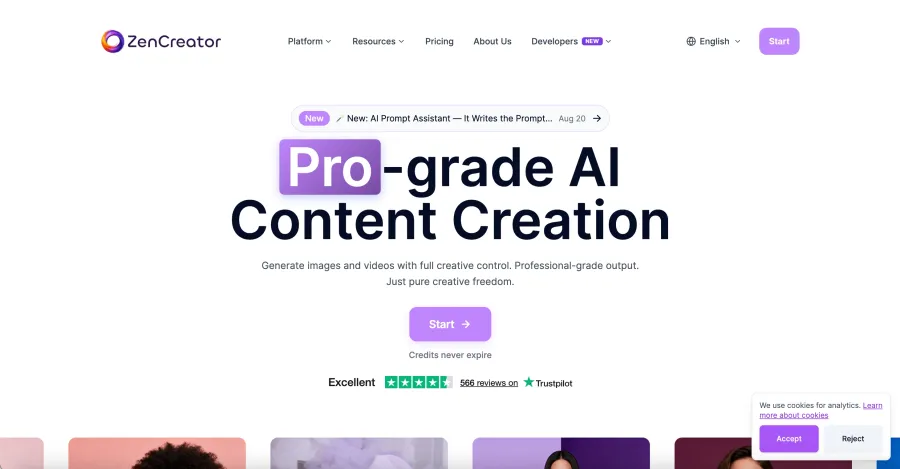
Текущая страница продукта ZenCreator рекламирует inpainting, перенос стиля, апскейлинг, ретуширование, экспорт до 4K и тарифы, начинающиеся с $19.99 в месяц. Там также заявлена шифрованная обработка и автоматическое удаление файлов.
Эти функции делают его релевантным для этого поиска. Качество доказательств удерживает его на восьмом месте. Его рейтинговая статья, заявления о конфиденциальности, заявления о производительности и рекомендация продукта исходят от одной и той же компании, и я не воспроизводил его результаты независимо. Относитесь к спецификациям как к заявлениям поставщика, пока не проверите их на собственном несекретном изображении.
Могут ли разработчики автоматизировать рабочий процесс редактирования?
Да. GPT Proto предоставляет редактирование изображений через конечную точку Seedream 4.5, а также через браузерный интерфейс. Текущая страница модели документирует следующий запрос cURL.
Установите INPUT_IMAGE_URL в URL-адрес изображения HTTPS, который модель может получить:
export GPTPROTO_API_KEY="your_api_key"
export INPUT_IMAGE_URL="https://your-domain.example/input-photo.jpg"

curl --request POST \
  "https://gptproto.com/api/v3/doubao/seedream-4-5-251128/image-edit" \
  --header "Authorization: Bearer $GPTPROTO_API_KEY" \
  --header "Content-Type: application/json" \
  --data "{
    \"prompt\": \"Replace the background with a daylight studio. Keep the subject, face, pose, clothing, and crop unchanged.\",
    \"images\": [\"$INPUT_IMAGE_URL\"],
    \"size\": \"2048*2048\",
    \"enable_sync_mode\": false,
    \"enable_base64_output\": false
  }"
Эквивалент на Python выводит ответ на отправку, чтобы вы могли записать его ID результата:
import os
import requests

url = "https://gptproto.com/api/v3/doubao/seedream-4-5-251128/image-edit"
headers = {
    "Authorization": f"Bearer {os.environ['GPTPROTO_API_KEY']}",
    "Content-Type": "application/json",
}
payload = {
    "prompt": (
        "Replace the background with a daylight studio. "
        "Keep the subject, face, pose, clothing, and crop unchanged."
    ),
    "images": [os.environ["INPUT_IMAGE_URL"]],
    "size": "2048*2048",
    "enable_sync_mode": False,
    "enable_base64_output": False,
}

response = requests.post(url, headers=headers, json=payload, timeout=120)
response.raise_for_status()
print(response.json())
Для асинхронного запроса скопируйте возвращённый ID результата и запросите документированную конечную точку статуса:
import os
import requests

result_id = os.environ["GPTPROTO_RESULT_ID"]
url = f"https://gptproto.com/api/v3/predictions/{result_id}/result"
headers = {"Authorization": f"Bearer {os.environ['GPTPROTO_API_KEY']}"}

response = requests.get(url, headers=headers, timeout=60)
response.raise_for_status()
print(response.json())
Онлайн-редакторы без ограничений против локальных
| Вопрос |
Онлайн-редактор |
Локальный редактор |
| Настройка |
Обычно аккаунт, загрузка и промпт |
Установите ПО, модели и зависимости |
| Конфиденциальность |
Изображения покидают устройство и могут попасть к поставщикам моделей |
Изображения могут оставаться на вашем оборудовании |
| Оборудование |
Поставщик предоставляет вычисления |
Вы предоставляете память, хранилище и время обработки |
| Стоимость |
Кредиты или подписка |
ПО может быть бесплатным; оборудование и электричество — нет |
| Контроль |
Быстрый старт, меньше низкоуровневых настроек |
Маски, узлы, чекпоинты и расширения |
| Обслуживание |
Поставщик выполняет обновления |
Вы выполняете обновления и исправляете сломанные зависимости |
Решение не такое философское, как кажется. Если изображение — заменяемый мокап продукта, онлайн-редактор экономит время. Если это конфиденциальный клиентский материал, который не может покинуть контролируемую машину, локальная обработка — разумный выбор по умолчанию.
Какой неограниченный AI-фоторедактор выбрать?
Выберите GPT Proto, когда вы хотите загрузить фото, описать правку и получить результат без управления локальными моделями.
Выберите ComfyUI, когда маски, выбор модели, переиспользуемые узлы и локальная обработка важнее удобства.
Выберите Draw Things, когда вы хотите бесплатную офлайн-точку старта с меньшей настройкой.
Выберите Krita AI Diffusion, когда задача начинается с рисования, выделения и исправления на холсте.
Выберите InvokeAI, когда команде нужны организованные, повторяемые визуальные рабочие процессы.
Выберите AUTOMATIC1111, когда вы уже понимаете настройки Stable Diffusion и хотите использовать его экосистему расширений.
Попробуйте NanoImage, когда четырёх приблизительных пробных правок достаточно, чтобы оценить простой веб-интерфейс.
Проверьте ZenCreator сами, когда его список хостинговых функций подходит для задачи, но независимые доказательства для вас важны.
Превратите отредактированное фото в видео
Готовая правка часто становится первым кадром видеорабочего процесса. Перед отправкой в модель движения проверьте лицо, руки, логотипы, текст и края фона в полном разрешении; генерация видео склонна увеличивать мелкие дефекты на множестве кадров.
На следующем шаге сравните рабочие процессы в руководстве GPT Proto по генерации видео из изображений или ознакомьтесь с более широким рейтингом AI-видеомоделей.
Итоговый вердикт
Для большинства людей, которым нужен неограниченный AI-фоторедактор онлайн, GPT Proto — самая прямая отправная точка: загрузите изображение, укажите правку и элементы, которые должны остаться неизменными, затем продолжите с апскейлингом или анимацией в том же рабочем процессе.
ComfyUI остаётся более сильным выбором для максимального локального контроля. Draw Things — более простой бесплатный офлайн-вариант. Цена этой конфиденциальности — ваше собственное оборудование и время на настройку.
Попробуйте неограниченный AI-фоторедактор GPT Proto, начав с неконфиденциального тестового изображения и одной чётко определённой правки.