GPT Proto

GPTProto

  • ダッシュボード
  • LLM

    • qwen
      Qwen3.8 Max新機能
    • claude
      Claude Opus 5
    • google
      Gemini 3.6 Flash
    • google
      Gemini 3.5 Flash Lite
    • moonshotai
      Kimi K3

    画像

    • bytedance
      Dola Seedream 5.0 Pro 260628新機能
    • google
      Gemini 3.1 Flash Lite Image
    • google
      Gemini 3.1 Flash Image
    • openai
      GPT Image 2
    • google
      Gemini 3.1 Flash Image Preview

    動画

    • bytedance
      Dreamina Seedance 2.5 260628新機能
    • kling
      Kling v3.0 4k
    • bytedance
      Dreamina Seedance 2.0 Mini 260615
    • kling
      Kling v3 Omni 4k
    • bytedance
      Dreamina Seedance 2.0 Fast 260128
    216+ 種類のモデルを見る >
  • ジェネレーター

    • 画像生成
    • 動画生成
    • キャンバスで編集

    機能

    • アニメをリアルな人物に変換するAI新機能
    • アニメAIアートジェネレーター
    • AIオブジェクト除去
    • AI画像エディター
    • 制限なしAI画像生成
    • AIモーション転送
    • AI Clothes Remover
    • AIウォーターマーク除去
    • オンラインAI画像高画質化ツール
    • オンライン背景削除ツール
    すべて表示 >

    プロンプト

    • Seedance 2.0 プロンプト新機能
    • GPT Image 2 プロンプト
    • Nano Banana Pro プロンプト
    • Seedream 5.0 Pro プロンプト
  • AIブログ

    • GLM 5.2 vs Claude Opus 5:どちらのコーディングモデルがより費用対効果に優れているか?
    • GLM 5.2とMiniMax M3:コーディングとフロントエンド作業に優れているのはどちら?
    • APIで自分だけのAIキャラクターを作る方法——コーディング不要
    • Kimi K3とClaude Opus 5:コーディングとAIエージェントに適しているのはどちら?
    • 製品とEコマース向けの無料Seedream 5.0 Proパッケージデザインプロンプト20選
    すべて表示 >

    AIインサイト

    • MiniMax H3の登場:動画編集のアップグレードで実際に何が変わるのか
    • Emochi AIとは?なぜこれほど急成長しているのか(2026年)
    • Kimi K3とは?GPT-5.6やFable 5に本当に近いのか?
    • 2026年版:YouTube・TikTok・テキスト・画像に最適なAI動画生成ツール12選
    • Qwen 3.8 Maxとは?リリース日、2.4Tプレビュー、料金、初期ベンチマーク
    すべて表示 >

    AIドキュメント

    • gpt-image-2
    • gpt-5.4
    • kimi-k2.5
    • claude-opus-4-6
    • kling-v3.0-pro
    すべて表示 >

    AIスキル

    • browser-use
    • claude-to-im
    • competitive-ads-extractor
    • content-creator
    • data-storytelling
    すべて表示 >
料金プラン+7%ボーナス
English繁體中文한국어日本語EspañolРусский
今すぐ始める
  1. ホーム
  2. /モデル
  3. /Qwen
  4. /qwen3.8-max
Qwen
qwen3.8-max
チャット
Qwen 3.8 Max is Alibaba’s flagship multimodal reasoning model for large-scale coding, professional research, and tool-driven agents. It accepts text, images, and video and supports a 1M-token context window.

$ 1.8
$ 2

$ 5.4
$ 6

text

text

$ 1.8
$ 2

text

$ 5.4
$ 6

text

関連モデル
すべてのモデル
Claude
Claude
claude-opus-5
$ 20
$ 25
Google
Google
gemini-3.6-flash
$ 4.5
$ 7.5
MoonshotAI
MoonshotAI
kimi-k3
$ 13.5
$ 15
OpenAI
OpenAI
gpt-5.6-luna
$ 0.96
$ 1.2
Grok
Grok
grok-4.5
$ 3.6
$ 6
MiniMax
MiniMax
MiniMax-M3
$ 0.96
$ 1.2

Qwen 3.8 Max API for Long-Horizon Coding and Multimodal Agents

Use one GPTProto API key to build repository-aware coding agents, review interfaces and visual documents, automate structured workflows, and generate long technical outputs without maintaining a separate Alibaba Cloud integration.

1M Context and 131K Output

Process large codebases, technical documentation, conversation history, and mixed source material within a 1,000,000-token context window. Generate up to 131,072 output tokens—twice Qwen3.7 Max’s documented limit.

Process large codebases, technical documentation, conversation history, and mixed source material within a 1,000,000-token context window. Generate up to 131,072 output tokens—twice Qwen3.7 Max’s documented limit.

Text, Image, and Video Input

Send text, images, and video as input and receive text output. Use the model for UI review, screenshot analysis, visual document understanding, and research based on long-form video content.

Send text, images, and video as input and receive text output. Use the model for UI review, screenshot analysis, visual document understanding, and research based on long-form video content.

Function Calls and Structured JSON

Connect Qwen 3.8 Max to external tools through function calling and request schema-constrained JSON for downstream systems. Context caching is supported, while batch inference and fine-tuning are currently unavailable.

Connect Qwen 3.8 Max to external tools through function calling and request schema-constrained JSON for downstream systems. Context caching is supported, while batch inference and fine-tuning are currently unavailable.

Long-Horizon Coding Agents

Use Qwen 3.8 Max for repository analysis, multi-file implementation, debugging, and tool-driven verification. Hybrid thinking can handle difficult tasks or be disabled when latency and token usage matter more.

Use Qwen 3.8 Max for repository analysis, multi-file implementation, debugging, and tool-driven verification. Hybrid thinking can handle difficult tasks or be disabled when latency and token usage matter more.

What Is the Qwen 3.8 Max API?

Qwen 3.8 Max is Alibaba Cloud’s 2.4-trillion-parameter Mixture-of-Experts flagship for coding, professional productivity, research, and long-horizon agent tasks. Unlike the earlier Preview endpoint, Alibaba’s current documentation identifies the standard API model as qwen3.8-max.

The model accepts text, images, and video and returns text. This makes it suitable for workflows that combine source code, technical requirements, interface screenshots, visual documents, recorded demonstrations, and tool results in the same task. It also supports function calling, structured outputs, context caching, and hybrid thinking.

The Qwen 3.8 Max API provides a 1,000,000-token context window and a maximum output length of 131,072 tokens. These values should not be treated as additive limits: a request cannot assume a full one-million-token prompt plus another 131,072 output tokens. Reserve context for the requested answer and, when thinking is enabled, the model’s reasoning tokens.

Specification Qwen 3.8 Max
Provider Alibaba Cloud / Qwen
Official model ID qwen3.8-max
GPTProto model string qwen3.8-max
Model architecture Mixture of Experts, 2.4T total parameters
Input modalities Text, images, and video
Output modality Text
Context window 1,000,000 tokens
Maximum input 991,808 tokens
Maximum input with thinking 983,616 tokens
Maximum output 131,072 tokens
Reasoning Hybrid thinking, enabled by default in Alibaba’s API documentation
Function calling Supported
Structured outputs Supported
Context caching Supported
Batch inference Not currently supported
Fine-tuning Not currently supported

Where Qwen 3.8 Max Fits Real Developer Work

Repository-Scale Coding and Software Repair

Qwen 3.8 Max can inspect a large repository, connect requirements to existing modules, propose a plan, edit multiple files, call development tools, and review test results. Suitable workloads include feature implementation, dependency migration, cross-service debugging, code review, and frontend reconstruction from screenshots.

A large context window does not remove the need for task control. Give the agent a defined repository scope, acceptance criteria, permitted tools, and a command for validating the result. For longer runs, store checkpoints and require tests after each meaningful implementation stage.

Multimodal UI and Document Analysis

Because the current model accepts text, images, and video, developers can combine written requirements with interface screenshots, diagrams, visual reports, or recorded product flows. Examples include checking whether a frontend matches a design reference, extracting requirements from mixed visual material, and identifying inconsistencies across multiple document versions.

The API returns text rather than generated images or video. It can describe, reason about, or extract information from visual inputs, but visual asset generation should be routed to a dedicated image or video model.

Tool-Driven Agents and Structured Workflows

Function calling allows the model to request actions from search systems, code runners, databases, internal APIs, or other developer-defined tools. Structured Outputs can constrain the final response to a JSON schema, making the result easier to validate before it enters another service.

Do not treat a syntactically valid tool call as proof that the action is correct. Validate arguments, restrict permissions, set timeouts, and return tool errors to the model in a structured format. For high-impact operations, require application-side approval instead of allowing the model to execute them automatically.

Long-Context Research and Professional Analysis

The model can work across large collections of requirements, technical documentation, policy material, research notes, and conversation history. Its extended output limit is useful when the result must contain a detailed implementation plan, structured report, migration guide, or multi-file code proposal.

For retrieval-heavy applications, sending an entire archive on every request is rarely the best design. Use retrieval to select the most relevant sources, cache stable instructions where supported, and keep source identifiers in the prompt so generated claims can be traced back to their evidence.

Qwen 3.8 Max vs Qwen 3.7 Max

Qwen 3.8 Max is a meaningful upgrade for multimodal agents, structured data extraction, and workflows that require unusually long responses. However, Qwen3.7 Max can remain the better routing choice for text-only batch workloads.

Capability Qwen 3.8 Max Qwen 3.7 Max
Official model ID qwen3.8-max qwen3.7-max
Input modalities Text, images, video Text
Output modality Text Text
Context window 1,000,000 tokens 1,000,000 tokens
Maximum output 131,072 tokens 65,536 tokens
Hybrid thinking Supported Supported
Function calling Supported Supported
Structured Outputs Supported Not supported
Context caching Supported Supported
Batch inference Not supported Supported
Best fit Multimodal coding agents, visual analysis, structured workflows Text-only agents and batch processing

Choose Qwen 3.8 Max when visual input, schema-constrained output, or a longer response ceiling changes the workflow. Keep Qwen3.7 Max available when the application is text-only and depends on Batch Inference.

For cross-provider decisions, use the dedicated Qwen 3.8 Max vs Kimi K3 comparison rather than expanding this model page into a second full comparison article.

Switching from Qwen3.8-Max-Preview

Alibaba’s current standard model ID is qwen3.8-max, while earlier integrations and articles may still reference qwen3.8-max-preview. Treat the change as a model migration rather than a cosmetic rename.

Before switching production traffic:

  1. Confirm the exact model string shown in the GPTProto Quick Start section.

  2. Re-run representative coding, reasoning, vision, and tool-use evaluations.

  3. Validate every function-call schema and structured JSON response.

  4. Check how thinking mode and output limits are exposed by the endpoint.

  5. Test image and video input formatting against the current documentation.

  6. Keep the previous model or another integrated model as a temporary fallback.

Preview results should not be used as permanent performance guarantees. Store the model ID, test date, prompt, reasoning configuration, tools, and evaluation result together so later runs remain comparable.

How to Evaluate Qwen 3.8 Max for Agent Work

Do not select an agent model from parameter count or context length alone. Build an evaluation set containing 20 to 50 tasks that represent the work your application will actually perform.

Measure:

  • First-pass task completion

  • Tests passed after code changes

  • Valid versus rejected tool calls

  • JSON schema validation rate

  • Number of retries and corrective prompts

  • Input, reasoning, and output token usage

  • End-to-end latency

  • Human corrections required

  • Recovery after a failed tool or incomplete result

Run the same tasks with identical tool permissions and acceptance criteria on Qwen3.8 Max and your current model. A cheaper request is not cheaper overall if it requires more retries, produces invalid tool arguments, or needs extensive manual correction.

qwen3.8-max APIキーの取得方法

qwen3.8-max APIキーの取得は、4つのステップで数分で完了します。GPTProtoの無料アカウントを作成し、クレジットを追加してキーを生成し、最初のAPIコールを行ってください。$1.8 / $5.4 GPTProto経由であれば、直接契約するよりも安価にqwen3.8-max APIキーを利用でき、1つのキーでプラットフォーム上のすべてのモデルにアクセス可能です。詳細はqwen3.8-max ドキュメントをご覧ください。

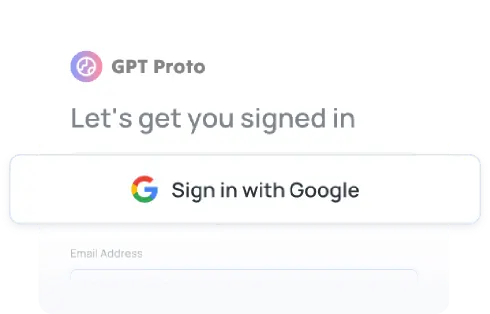
サインアップ

サインアップ

無料のGPT Protoアカウントを作成して開始しましょう。チーム用の組織はいつでも設定可能です。

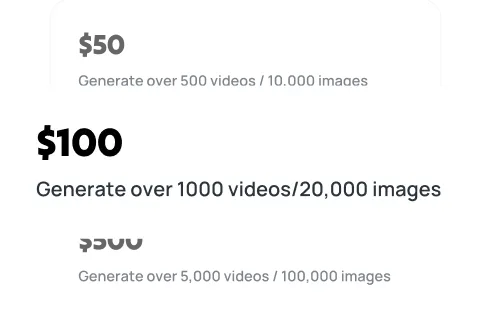
チャージ

チャージ

残高はqwen3.8-maxを含むプラットフォーム上の全モデルで利用可能です。必要に応じて柔軟に実験やスケールアップを行えます。

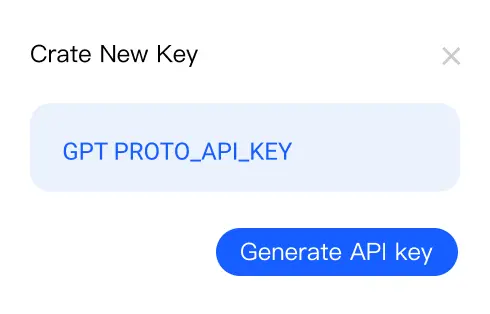
APIキーを生成

APIキーを生成

ダッシュボードでAPIキーを作成してください。qwen3.8-maxへのリクエスト時に認証用として必要になります。

最初のAPIコールを実行

最初のAPIコールを実行

サンプルコードでAPIキーを使用し、GPT Proto経由でqwen3.8-maxにリクエストを送信して、AIによる結果をすぐに確認しましょう。

APIキーを取得

Qwen 3.8 Max API FAQ

How much does the Qwen 3.8 Max API cost on GPTProto?

GPTProto bills input and output tokens separately. Use the live pricing panel on this page as the current source of truth because provider rates and promotional discounts may change.

What is the Qwen 3.8 Max API model ID?

Alibaba’s current official model ID is `qwen3.8-max`. Use the exact model string displayed in the GPTProto Quick Start section before deploying. Do not continue using `qwen3.8-max-preview` unless it is explicitly listed as a separate endpoint.

Can I get a free Qwen 3.8 Max API key?

Creating a GPTProto API key is free, but model requests are billed according to token usage. Check the current dashboard for temporary credits or promotions rather than assuming a permanent free API tier.

What are the Qwen 3.8 Max context and output limits?

The model has a 1,000,000-token context window, a documented maximum input of 991,808 tokens, and a maximum output of 131,072 tokens. Thinking mode reduces the documented maximum input to 983,616 tokens.

Does Qwen 3.8 Max support image and video input?

Yes. Alibaba documents text, image, and video input with text output. The model can analyze screenshots, visual documents, interfaces, and video content, but it does not generate images or video.

Is Qwen 3.8 Max suitable for coding agents?

Yes. Its relevant capabilities include hybrid reasoning, function calling, multimodal input, structured outputs, long context, and long responses. Reliability still depends on tool design, permissions, prompts, tests, and application-side validation.

Is thinking enabled by default for Qwen 3.8 Max?

Alibaba classifies `qwen3.8-max` as a hybrid-thinking model with thinking enabled by default. Confirm whether the GPTProto endpoint exposes a thinking control before adding provider-specific parameters to requests.

Qwen 3.8 Max vs Qwen 3.7 Max: which should developers use?

Use Qwen 3.8 Max for multimodal inputs, structured JSON, and outputs above Qwen3.7 Max’s 65,536-token limit. Qwen3.7 Max remains relevant for text-only workloads that require Batch Inference.

Does Qwen 3.8 Max support Batch Inference or fine-tuning?

Alibaba’s current documentation lists both Batch Inference and fine-tuning as unsupported for Qwen 3.8 Max. Do not promise either capability unless the platform documentation changes.

Does the Qwen 3.8 Max API include web search?

Alibaba’s built-in web-search availability varies by deployment region, and GPTProto may expose tools differently from Alibaba’s native endpoint. Confirm the GPTProto documentation before designing an application that depends on built-in search.

関連記事

他のブログを見る
Qwen 3.8 Max vs Kimi K3: Which Is Ready for Real Coding Work?

Qwen 3.8 Max vs Kimi K3: Which Is Ready for Real Coding Work?

Compare Qwen 3.8 Max vs Kimi K3 for coding, API pricing, context, multimodal support, and open weights—and see which model is ready to deploy.

Qwen 3.8 Max vs Qwen 3.7 Max: What Changed, and Which Should Developers Choose?

Qwen 3.8 Max vs Qwen 3.7 Max: What Changed, and Which Should Developers Choose?

Compare Qwen 3.8 Max vs Qwen 3.7 Max for coding, context, pricing, API stability, and production use. See why developers should test 3.8 but deploy 3.7.

What Is Qwen 3.8 Max? Release Date, 2.4T Preview, Pricing, and Early Benchmarks

What Is Qwen 3.8 Max? Release Date, 2.4T Preview, Pricing, and Early Benchmarks

Qwen 3.8 Max explained: July 19 preview release, 2.4T claim, Token Plan pricing, open-weight status, benchmarks, and comparisons.

Qwen 3.8 Max vs GLM 5.2: Which Is Better for Coding in 2026?

Qwen 3.8 Max vs GLM 5.2: Which Is Better for Coding in 2026?

Compare Qwen 3.8 Max vs GLM 5.2 on coding, API access, context, pricing, and open weights. See which model is safer for production in 2026.

GPT Proto

グローバルな規模と安定性でAIイノベーションを推進:

主力製品であるGPT Protoを通じて、テキスト、ビジョン、音声など、世界をリードするAIプロバイダーのAPIにアクセスし、統合するための統一インターフェースを提供します。開発者や企業が統合を簡素化し、制限なくイノベーションを加速できるよう支援します。

グローバルなインフラストラクチャ、ローカルなコンプライアンス:

To ensure enterprise-grade reliability and compliance, Talent Tech Global Limited operates specifically as our global Billing and Contracting Entity. Meanwhile, our core technical infrastructure and R&D teams are strategically distributed across global innovation hubs, including Silicon Valley, Singapore, and Hong Kong.

拡張性を考慮した設計:

私たちは安定性が何よりも重要であると理解しています。当社のプラットフォームは、動的なオートスケーリングをサポートする堅牢な分散型アーキテクチャ上に構築されています。パイロット運用から数百万件の同時リクエストの処理まで、システムは需要に合わせて即座に拡張され、ビジネスの成長を妨げないインフラストラクチャを保証します。

ナビゲーション

  • ダッシュボード
  • モデル
  • 画像生成
  • AI画像高画質化
  • AI背景削除
  • 動画生成
  • キャンバスで編集
  • 機能
  • 料金プラン
  • AIドキュメント
  • AIブログ
  • AIインサイト
  • AIスキル

機能

  • アニメをリアルな人物に変換するAI
  • アニメAIアートジェネレーター
  • AIオブジェクト除去
  • AI画像エディター
  • 制限なしAI画像生成
  • AIモーション転送
  • AI Clothes Remover
  • AIウォーターマーク除去
  • オンラインAI画像高画質化ツール
  • オンライン背景削除ツール
  • AI顔交換画像
  • AIパスポート写真メーカー
  • MS Paint AI Generator
Explore all features >

LLM

  • Qwen3.8 Max
  • Claude Opus 5
  • Gemini 3.6 Flash
  • Gemini 3.5 Flash Lite
  • Kimi K3
  • GPT 5.6 Luna
  • GPT 5.6 Terra
  • GPT 5.6 Sol
  • Grok 4.5
  • Claude Sonnet 5
  • Minimax M3
  • GLM 5.2
  • GPT 5.1 Chat Latest
  • Claude Fable 5
  • Qwen3.7 Max
  • Claude Opus 4.8 Thinking
  • Claude Opus 4.8
  • Gemini 3.5 Flash
  • DeepSeek v4 Flash
  • DeepSeek v4 Pro
すべてのモデルを見る >

画像

  • Dola Seedream 5.0 Pro 260628
  • Gemini 3.1 Flash Lite Image
  • Gemini 3.1 Flash Image
  • GPT Image 2
  • Gemini 3.1 Flash Image Preview
  • Seedream 5.0 260128
  • Doubao Seedream 5.0 260128
  • Vidu Q2
  • Grok Imagine Image
  • Kling Image O1
  • GPT Image 1.5
  • Seedream 4.5 251128
  • Doubao Seedream 4.5 251128
  • Grok Imagine 0.9
  • Gemini 3 Pro Image Preview
  • Qwen Image Lora
  • Qwen Image Plus Lora
  • Qwen Image Plus
  • Grok 4 Image
  • GPT Image 1 Mini
すべてのモデルを見る >

動画

  • Dreamina Seedance 2.5 260628
  • Kling v3.0 4k
  • Dreamina Seedance 2.0 Mini 260615
  • Kling v3 Omni 4k
  • Dreamina Seedance 2.0 Fast 260128
  • Dreamina Seedance 2.0 260128
  • Vidu 2.0
  • Doubao Seedance 2.0 260128
  • Doubao Seedance 2.0 Fast 260128
  • Kling v3 Omni Pro
  • Kling v3 Omni Std
  • Vidu Q3 Turbo
  • Kling v3.0 Pro
  • Kling v3.0 Std
  • Vidu Q3 Pro
  • Kling v2.6 Std
  • Vidu Q2 Pro
  • Vidu Q2 Turbo
  • Vidu Q2 Pro Fast
  • Vidu Q2
すべてのモデルを見る >

© 2026 Talent Tech Global Limited (Hong Kong). All rights reserved.

  • 会社概要
  • プライバシーポリシー
  • 利用規約
  • サイトマップ