What Is Nano Banana 2?
The Nano Banana Timeline
To understand what Nano Banana 2 represents, it helps to see where it fits in the model's history:
| Date |
Model |
Technical Name |
Key Milestone |
| August 2025 |
Nano Banana (1st gen) |
Gemini 2.5 Flash Image |
Went viral, especially in India |
| November 2025 |
Nano Banana Pro |
Gemini 3 Pro Image |
Major quality upgrade |
| February 26, 2026 |
Nano Banana 2 |
Gemini 3.1 Flash Image |
Speed + quality merged, Arena #1 |
Nano Banana 2 is not a direct upgrade of Nano Banana Pro. Think of the series as having two parallel tracks — a standard line and a Pro line. Nano Banana 2 is the next step on the standard track, but it has now absorbed many of Pro's best capabilities and run them at Flash speed.
Key Features of Nano Banana 2
Here is what Nano Banana 2 actually delivers, based on Google's official release notes and extensive real-world testing:
Speed and Cost
Generation speed is 15–31% faster than Nano Banana Pro depending on whether you use the Gemini web interface or the API directly. API costs are roughly half of what Nano Banana Pro charges — around $0.067 per 1K image versus Pro's rate. For teams generating images at scale, that difference compounds quickly.
Image Quality
Real-world testers consistently report that image quality is on par with Nano Banana Pro. Textures are richer, lighting and shadows feel more natural, and the model handles complex prompts with stronger instruction-following than its predecessor. In some comparisons, NB2's aesthetic choices were described as slightly more refined.
Character and Object Consistency
Within a single generation or editing session, Nano Banana 2 can maintain consistent appearance across up to 5 characters and 14 objects. This is essential for storyboards, comics, short-form video planning, and brand campaigns that need visual coherence across multiple images.
Resolution and Aspect Ratios
Supported resolutions run from 512px up to 4K, with any aspect ratio. Notably, Nano Banana 2 adds new extreme ratio options — 4:1, 1:4, 8:1, and 1:8 — which open up new formats like ultra-wide panoramas, vertical scrolls, and rich historical timelines that couldn't be generated natively before.
Multilingual Text Rendering
Text generation inside images, including Chinese and other non-Latin scripts, is strong. Large text blocks and headings render cleanly. Fine print in dense layouts may occasionally show minor distortions, but the overall improvement over earlier models is clear.
World Knowledge and Web Search Integration
Nano Banana 2 connects to real-world information through Gemini's knowledge base and live web search. You can prompt it to generate a weather infographic for Shanghai using current data, or create a product comparison poster with accurate real-world facts, and it will pull from live sources rather than guessing.
Image Translation
A new capability not available in earlier versions: NB2 can directly translate text inside an existing image into another language while preserving the original layout. This is highly practical for localization of posters, packaging, menus, and marketing materials.
Pros and Cons of Nano Banana 2
Pros:
-
Ranked #1 on Arena AI text-to-image leaderboard at launch
-
Approximately 50% cheaper than Nano Banana Pro at most resolutions
-
15–31% faster generation speed
-
Strong instruction-following, especially for Chinese-language prompts
-
New extreme aspect ratios unlock formats like timelines and scroll art
-
Image translation is a genuinely useful new capability
-
Now the default model across Fast, Thinking, and Pro modes in the Gemini app
Cons:
-
Visual element density can be slightly lower than Nano Banana Pro in complex scenes
-
Fine-print text in very dense layouts may show occasional distortions
-
Image translation results can sometimes alter background elements unexpectedly
-
Switching back to Nano Banana Pro requires an extra step in the Gemini interface
Nano Banana 2 vs. Nano Banana Pro:
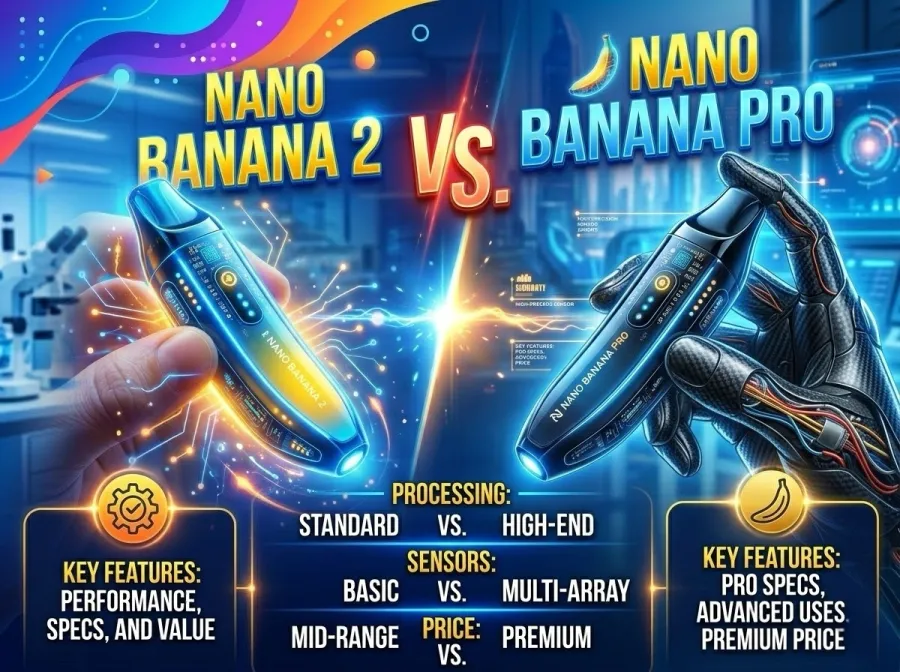
Based on 20 real-world test cases covering portrait posters, product design, infographics, comic strips, and brand visuals, here is how Nano Banana 2 and Nano Banana Pro compare:
| Dimension |
Nano Banana Pro |
Nano Banana 2 |
| Image quality |
Excellent |
Excellent (comparable) |
| Generation speed |
Moderate |
15–31% faster |
| API cost per image |
Baseline |
~50% lower |
| Instruction following |
Good |
Better |
| Chinese text rendering |
Very strong |
Comparable, slightly more stable |
| Extreme aspect ratios |
Not supported |
4:1, 1:4, 8:1, 1:8 supported |
| Image translation |
Not available |
Available |
| Visual element richness |
Slightly higher |
Slightly lower in some cases |
The practical conclusion from real testing: if you want maximum visual richness for a specific high-stakes piece, Nano Banana Pro still has a narrow edge. For everything else — especially bulk generation, speed-sensitive workflows, and cost-conscious production — Nano Banana 2 is the better choice.
What Nano Banana 2 Can Do
Testers ran Nano Banana 2 through eight professional scenarios across commercial, editorial, and creative contexts. Each case below includes the actual prompt used or a representative template you can adapt directly.
Use Case 1: Article Infographics and Educational Diagrams
What it does: Feed NB2 an article or topic, and it generates explainer-style infographics at scale — including whiteboard and matchstick-figure teaching styles. One tester generated 20 matching article illustrations from a single upload.
Example prompt:
Extract the core logic from the user's input and generate a "whiteboard teaching" style infographic.
Layout: Landscape (16:9), clean white or light-grey grid background. Use marker-pen-style lines, arrows, and boxes to build a flowchart or mind map. A simple stick-figure teacher can appear in a corner pointing at key data. Text: mix of Chinese and English — bold handwritten-style headings, key words only in body text, using red, blue, and black markers to highlight priorities. If the content involves specific people, replace them with abstract stick figures. Keep at least 30% whitespace so the logical flow is readable at a glance.
Best for: Blog post thumbnails, explainer content, educational materials, presentation slides.
Use Case 2: Minimalist Negative-Space Cover Design
What it does: Generates clean two-tone silhouette designs — ideal for notebook covers, packaging, brand identity, and merchandise. Output is print-ready and highly consistent across a batch.
Example prompt template:
Minimalist negative-space design. [Subject color] [subject description] silhouette on a [background color] background. Flat vector illustration style, high contrast, clean composition, minimal and elegant, modern graphic design. Use only 2–3 colors. Asymmetric layout, generous whitespace, sharp edges. Professional notebook cover design. Chinese text "[your phrase]" integrated naturally into the design.
Variation examples:
-
Bird series: White flying bird silhouette, dark green background, Chinese text "Soar Free"
-
Cat series: Black cat silhouette, orange background, Chinese text "Lazy Afternoon"
-
Tree series: Dark green tree silhouette, sky blue background, Chinese text "Tree of Life"
Best for: Stationery, book covers, brand merchandise, social media graphics, packaging design.
Use Case 3: Comic Strip and Storyboard Generation
What it does: Generates vertical multi-panel comics with consistent characters, coherent narrative, and strong multilingual dialogue rendering. NB2 shows notably better instruction-following than Nano Banana Pro in this format, especially for Chinese text in speech bubbles.
Example prompt:
Using Nano Banana 2, generate a 9:16 vertical comic strip titled "A Day in the Life of an Office Worker." 6 panels from top to bottom: (1) 7:00am — cartoon panda with dark circles slaps their phone, speech bubble: "Just 5 more minutes…" (2) 8:30am — crammed into a subway like sardines (3) 12:00pm — eating takeout at their desk while scrolling their phone (4) 3:00pm — drowning in emails and spreadsheets, only one hand visible above the flood, reaching for help (5) 9:00pm — leaving the office while the moon hangs high (6) 11:00pm — lying in bed scrolling their phone, dead-fish eyes, thinking: "Tomorrow will be full of hope!"
Cute chibi art style, different pastel-colored background per panel, mix of anime and internet culture references. 2K resolution.
Best for: Social media content, brand storytelling, short-form video pre-production, webcomics.
Use Case 4: E-Commerce Product Photography
What it does: Upload a product photo, describe key selling points, and NB2 generates a complete commercial image set — multiple angles, multiple scene contexts. Individual product details (like swapping a plastic cap for a wood stopper) can be edited after generation using touch-edit tools.
Workflow:
-
Upload your product image
-
Describe the product category and key features
-
Use a platform's e-commerce image template (e.g. an "Amazon product set" skill) to trigger structured output
-
Use touch-edit to make precise adjustments to any element
Best for: Amazon, Shopee, Taobao, and DTC brand product listings. Replaces the need for professional studio photography for standard catalog shots.
Use Case 5: Brand and Logo Design
What it does: Generates a complete brand identity package end-to-end — logo concept, structural variants, merchandise mockups (mugs, packaging, store visuals), and a written brand story with design guidelines.
Workflow prompt example:
Design a brand identity for [brand name]. Core keywords: [e.g. "artisan, warm, sustainable"]. Generate: (1) three logo concepts in different structural styles, (2) logo applied to a coffee cup, a kraft paper bag, and a tote bag, (3) a storefront exterior render, (4) a one-page brand guideline including color palette, typeface, and brand story.
Best for: New brand launches, product line extensions, pitch decks, brand refresh projects.
Use Case 6: Batch-Consistent Image Series (12+ Images)
What it does: Generates large sets of style-unified images in a single session, maintaining visual consistency throughout. Tested successfully with 12-image city miniature series and 12-image travel culture card sets.
Example prompt (city miniature blind-box series):
Generate a "Brand Blind-Box Mini Store" series, 12 images total, 1:1 ratio.
Unified style: 3D chibi miniature scene, Cinema 4D render quality, blind-box figurine aesthetic. Soft afternoon light, warm color palette, macro-photography shallow depth of field. Each store is a two-story mini building with large glass windows showing interior details. A Q-version character stands outside — browsing, sitting on a bench, or walking a dog. All figures have oversized heads, small bodies, PVC matte texture.
Assign each image a different real brand (e.g. a tea shop, a toy store, a hot pot restaurant) and design the exterior and interior to match that brand's visual identity.
Best for: Social media campaigns, collectible merchandise concepts, brand activation events, content marketing.
Use Case 7: Ultra-Wide and Ultra-Tall Ratio Images
What it does: One of NB2's exclusive upgrades. The new 4:1, 1:4, 8:1, and 1:8 aspect ratios allow for formats that previously required a designer to manually assemble — dynasty timelines, product history chronicles, narrative scroll paintings, ultra-wide panoramas.
Example prompts:
Historical dynasty timeline (8:1 ultra-wide):
An illustrated timeline of Chinese dynasties from the Xia Dynasty to 2026. Each dynasty represented by its most iconic element: bronze vessels for Shang, jade discs for Zhou, terracotta warriors for Qin, Silk Road for Han, Tang Sancai pottery, Song ink paintings, Yuan cavalry, Ming Forbidden City, Qing imperial court, Republican-era Shanghai, and modern high-speed rail and rockets. A flowing river at the bottom serves as the time axis with dynasty names and dates in Chinese. Color palette transitions from antique bronze-gold through ink-wash grey to modern vivid tones. 4K.
Product development milestone timeline (1:8 ultra-tall):
Create an infographic-style illustration showing WeChat's development milestones from 2011 to 2026. Main color: tech green (#07C160), Tencent logo at top. Flow from top to bottom: 2011 launch screen → chat bubbles → Moments → WeChat Pay QR code → Mini Programs ecosystem → Video Channels → WeCom → AI agents. Milestones connected by flowing green digital particle streams. Style: futuristic flat illustration, frosted glass UI elements, dark background with green glow. Year labels in Chinese at each node.
Best for: Educational content, brand histories, editorial long-form features, scrollable social media posts, exhibition graphics.
Use Case 8: Web Search-Enhanced Infographics
What it does: NB2 connects to live web search to generate infographics grounded in real, current data rather than guessing. Practical for weather forecasts, current event summaries, real-time product comparisons, and news visualizations.
Example prompts:
Weather infographic:
Using Google Search, generate an infographic showing the 5-day weather forecast for Shanghai. Display in Chinese. Include temperature range, weather icons, and UV index for each day.
Ice cream recipe process chart:
Generate an infographic explaining the ice cream production process. Use a warm kitchen-journal illustration style — cream background, food-toned palette (tomato red, carrot orange, lettuce green). Include step-by-step process with Q-style ingredient characters, cooking tool icons, timing and temperature callouts, and a final plating suggestion illustration.
Best for: News media, data journalism, educational publishers, social media educators, brand content teams.
Why Developers Need More Than One Model
The Hidden Cost of Platform Complexity
Nano Banana 2 is an excellent product. But it is one piece of a larger ecosystem that is always in motion. Google updates its default models without always giving developers advance notice — Nano Banana 2 replaced Nano Banana Pro as the default across all Gemini tiers with little fanfare. Pro access now requires an additional click after generation, which feels clunky. Pricing structures shift, API rate limits change, and features that existed on one tier get moved to another.
For teams building production applications, this kind of platform drift creates real overhead. You end up managing not just your product, but also the constant changes of every AI provider you depend on.
GPT Proto: One API for the Entire AI Landscape
This is exactly the problem GPT Proto is designed to solve. Instead of maintaining separate integrations for every provider, GPT Proto gives you a single unified API that connects to Gemini, Claude, GPT, and other leading models through one consistent format.
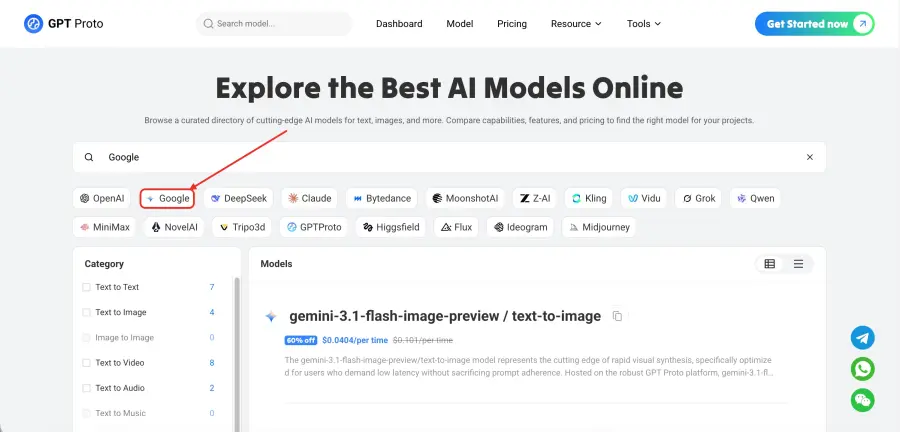
If you want access to the full Gemini family, GPT Proto has it. Use Gemini 3.1 Pro Preview for deep reasoning and complex tasks. Work with Gemini 3.1 Flash Image for image editing to build creative production pipelines. Access specialized features like image-to-text conversion, live web search, and document and file analysis — all through the same API call structure.
GPT Proto is built for teams who want to move quickly without being anchored to any single provider's roadmap:
-
Unified integration — One API format for all major models. No separate SDKs, no juggling authentication systems.
-
Enterprise-grade reliability — Low-latency infrastructure with high uptime designed for production workloads.
-
Transparent pricing — Usage-based billing that makes cost predictable, whether you are running hundreds or millions of requests.
-
Security and compliance — Data protection built into the platform, suitable for regulated industries.
-
Full model access — Browse the complete model library to match the right model to each specific use case.
When Nano Banana 2 is your image generation engine and you need cloud reasoning, document processing, or cross-model comparison alongside it, GPT Proto eliminates the integration friction.
FAQs About Nano Banana 2
How does Nano Banana 2 compare to GPT-image-1 on quality?
At launch, Nano Banana 2 ranked first on the Arena AI text-to-image leaderboard with a score of 1,279, placing it ahead of GPT-image-1 high-fidelity and Nano Banana Pro. In real-world tests across commercial, editorial, and character-consistency scenarios, NB2 performs at a level competitive with the best image generation models available. The main advantage over GPT-image-1 at equivalent quality tiers is cost — NB2 API pricing is substantially lower.
Can Nano Banana 2 still be used through the Gemini app, and can I switch back to Pro?
Yes. Nano Banana 2 is now the default image generation model across all Gemini tiers — Fast, Thinking, and Pro. If you need Nano Banana Pro for a specific high-fidelity task, you can still access it by first generating an image with NB2, then selecting "Redo with Pro" from the image menu. This option is only available to Gemini Pro subscribers and above. The workflow is slightly awkward — you cannot select Pro before the first generation — but it does remain available.
What makes Nano Banana 2 better for bulk image generation than the Gemini interface?
The Gemini native interface has context limits that interrupt multi-image sessions. Long conversations with many image requests can break character consistency and require the session to be restarted. Third-party platforms that use the NB2 API directly allow for much longer sessions — testers have run 60 to 100+ image generations in a single session without the character or style drifting. For storyboarding, e-commerce product photography, and any workflow requiring volume, API-based access through platforms like GPT Proto or dedicated creative tools is significantly more efficient.
Is Nano Banana 2 suitable for professional commercial use?
Yes. Real-world tests demonstrate NB2's ability to handle e-commerce product sets, brand logo and visual identity packages, marketing posters with accurate multilingual text, and complex structured infographics. The image translation capability specifically addresses cross-border and localization workflows. For teams doing high-volume commercial creative production, NB2's combination of quality, speed, and cost makes it one of the most practical tools available in 2026.
Conclusion
Nano Banana 2 is not just an incremental update. It is the point at which Google's image generation technology stops making you choose between quality and speed. By merging Nano Banana Pro's capabilities with Gemini Flash's architecture, the result is a model that leads the Arena leaderboard, cuts costs by roughly half, and handles everything from single-frame brand art to 100-image storyboard sequences.
For developers and production teams, the smarter play is pairing NB2's image generation strength with a platform that keeps the rest of your AI stack flexible and stable. GPT Proto AI API Platform provides that foundation — a single, unified API across all major models, so your product does not bend every time a provider updates their defaults. Explore the GPT Proto model catalog to see how Gemini 3.1 Flash Image fits alongside the rest of your AI stack.