


Kling V 2.1 Pro API: Professional AI Video Generation and Integration
If you are looking to build the next generation of creative apps, you can explore all available AI models including the industry-leading Kling V 2.1 Pro on our platform.
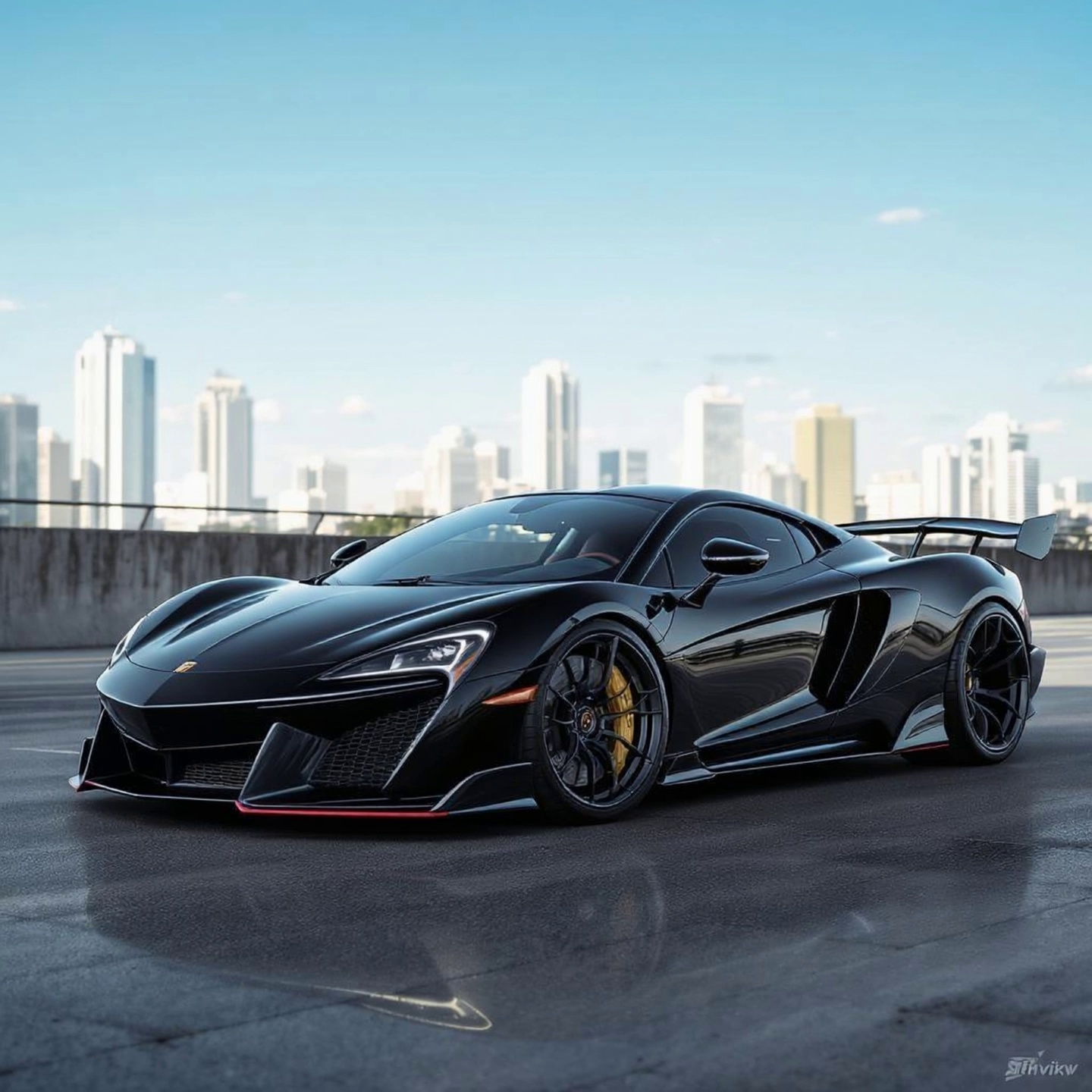
Kling V 2.1 Pro has changed the way we think about video ai. I've spent weeks testing various video generators, and honestly, the Kling V 2.1 Pro output is just on another level. It doesn't just create pretty pictures that move slightly; Kling V 2.1 Pro generates actual scenes with believable physics. Whether it is the way light bounces off a moving car or how a person walks through a crowded street, Kling V 2.1 Pro maintains a level of consistency that its predecessors simply couldn't touch. This model is built for people who need professional results without the headaches of traditional video production.
Why Developers Are Switching to Kling V 2.1 Pro for Production APIs
The tech behind Kling V 2.1 Pro is fascinating. It uses a sophisticated 3D spatio-temporal attention mechanism. This means Kling V 2.1 Pro understands that an object in the back of the frame shouldn't just disappear when something passes in front of it. When you integrate the Kling V 2.1 Pro api into your application, you're giving your users the ability to create 1080p videos that look like they were shot on a professional camera. Plus, the Kling V 2.1 Pro model is surprisingly fast for the quality it delivers. You aren't waiting forever for a 5-second clip anymore. On GPTProto, you can manage your API billing efficiently, ensuring that your Kling V 2.1 Pro usage stays within budget while you scale your project.
Kling V 2.1 Pro isn't just an incremental update; it's the first time I've felt that ai video is ready for prime-time television commercials and serious cinematic work. The motion stability in Kling V 2.1 Pro is unrivaled in the current market.
How Does Kling V 2.1 Pro Compare to Other Models?
When you look at the video ai world, there are plenty of options, but Kling V 2.1 Pro sits in a unique spot. Most models either give you high resolution with zero movement or high movement with zero resolution. Kling V 2.1 Pro gives you both. You can see how Kling V 2.1 Pro stacks up against other options in the table below. It is clear that for high-fidelity needs, Kling V 2.1 Pro is the winner. If you want to see the latest trends, stay informed with AI news and trends to see how Kling V 2.1 Pro continues to dominate benchmarks.
| Feature | Standard Video AI | Kling V 2.1 Pro |
|---|---|---|
| Max Resolution | 720p | 1080p HD |
| Motion Consistency | Low (Flickering) | High (Fluid) |
| Prompt Adherence | Average | Exceptional |
| Max Clip Length | 4 Seconds | Up to 10+ Seconds |
| Physical Accuracy | Hit-or-Miss | Highly Realistic |
Getting Started With Your Kling V 2.1 Pro Integration
Integrating Kling V 2.1 Pro into your workflow is straightforward with our system. You don't need to jump through hoops or sign up for expensive monthly plans. To get started, read the full API documentation which covers everything from authentication to handling Kling V 2.1 Pro webhooks. The Kling V 2.1 Pro api supports both text-to-video and image-to-video, giving you massive flexibility. I recommend starting with the Kling V 2.1 Pro image-to-video feature if you have a very specific visual style in mind. It allows the Kling V 2.1 Pro model to use your reference image as a base, ensuring the final video looks exactly how you imagined. You can monitor your API usage in real time to see exactly how many Kling V 2.1 Pro requests your app is making.
Kling V 2.1 Pro vs Sora: What You Need to Know
Everyone talks about Sora, but the truth is, Kling V 2.1 Pro is actually available for you to use right now via an api. While others are waiting for invitations, you can build with Kling V 2.1 Pro today. The prompt engineering for Kling V 2.1 Pro is also quite intuitive. You don't need to write a three-page essay to get a good result from Kling V 2.1 Pro. Simple, descriptive language works best. For example, telling Kling V 2.1 Pro to 'generate a cinematic shot of a rainy neon street with realistic puddles' will give you a stunning result. If you need help with prompts, learn more on the GPTProto tech blog where we share Kling V 2.1 Pro optimization tips.
Why the Kling V 2.1 Pro No-Credit System is Better
At GPTProto, we don't believe in locking you into monthly subscriptions that you don't fully use. Your Kling V 2.1 Pro usage is strictly pay-as-you-go. You top up your balance, and every time you call the Kling V 2.1 Pro api, it just deducts the cost. This is perfect for startups testing the Kling V 2.1 Pro waters. If your app goes viral, the Kling V 2.1 Pro infrastructure on GPTProto scales with you. If you have a slow month, you don't lose any money. You can even earn commissions by referring friends to use Kling V 2.1 Pro on our platform. The Kling V 2.1 Pro model is resource-intensive, but our optimized api wrapper ensures you get the lowest possible latency without the typical high-entry costs of video ai.
Maximizing Output Quality With Kling V 2.1 Pro
To get the absolute best out of Kling V 2.1 Pro, pay attention to the aspect ratio settings in your Kling V 2.1 Pro api calls. Cinematic 16:9 works beautifully for YouTube-style content, while 9:16 is optimized for TikTok and Reels when using Kling V 2.1 Pro. Also, try GPTProto intelligent AI agents to help you brainstorm creative prompts for your Kling V 2.1 Pro generations. The more detail you provide about the lighting and camera movement—like 'dolly zoom' or 'low angle'—the more Kling V 2.1 Pro will impress you with its cinematic chops. Don't be afraid to experiment with the Kling V 2.1 Pro negative prompts too, as they help Kling V 2.1 Pro avoid unwanted artifacts like distorted limbs or blurry backgrounds.