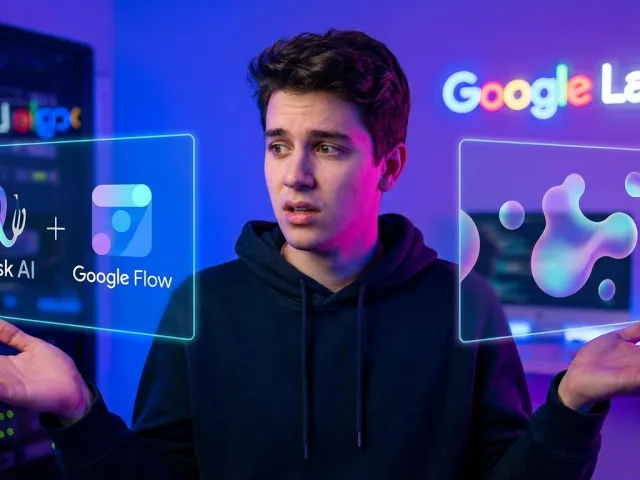
Getting Started with the Whisk AI Image Workflow
Google has a habit of dropping experimental tools that feel like magic until you hit their weird limitations. That is exactly the vibe with whisk ai right now. It is part of the Google Labs ecosystem, designed to make image and video generation feel less like a coding job and more like a creative session.

Most AI systems require you to master the art of the perfect text prompt, which is frankly exhausting. With whisk ai, the philosophy shifts toward visual references. You are essentially teaching the AI what you want by showing it photos rather than describing them with a thesaurus.
The Drag and Drop Interface of Whisk AI
The first thing you notice about whisk ai is the lack of a giant, empty text box. Instead, you get zones. It is a drag-and-drop system that feels incredibly intuitive. You just grab your reference photos, drop them into the designated slots, and whisk ai handles the heavy lifting.
This approach lowers the barrier to entry significantly. You do not need to be an AI prompt engineer to get a decent result. If you have a photo of a character and a photo of a setting, whisk ai tries to marry them together without you needing to explain the lighting or the lens type.
Whisk ai is built for speed and visual thinkers who are tired of fighting with text prompts in traditional AI models.
But do not let the simplicity fool you. There is a specific logic to how whisk ai interprets these images. If you are used to the standard API calls of a model like Midjourney, this will feel like a different sport entirely. It is about spatial relationship and style transfer.
While whisk ai is great for hobbyists, professionals often find they need more granular control. If you find the web interface too restrictive, you might want to explore all available AI models that offer more direct API access for complex workflows.
Setting Up Your First Whisk AI Project
To get started, you just need a Google account and access to the Labs environment. Once you are in, the whisk ai workspace is ready for your files. I recommend starting with high-contrast images. The AI tends to pick up on those details much faster during the generation process.
Think of your first whisk ai session as an experiment. Do not expect perfection on the first click. The tool is designed for iteration. You swap one image, tweak a setting, and watch how the whisk ai output changes in real-time. It is a very tactile way to work with an AI engine.
- Upload a clear subject image for your whisk ai project.
- Select a style reference that matches your desired aesthetic.
- Choose a scene image to define the background and environment.
- Hit generate and let the whisk ai algorithm blend the inputs.
Here is the catch: because this is an experimental tool, it can be a bit temperamental. One minute your whisk ai generation looks like a masterpiece, and the next, your character has three arms. This is where the specific "Subject, Scene, Style" zones become your best friends.
Mastering the Three Input System in Whisk AI
The secret sauce of whisk ai is how it separates your creative intent into three distinct buckets. Most AI generators mash everything together, but whisk ai keeps them in separate lanes. This allows you to change the background without accidentally changing your character's face, which is a massive win.
I have spent a lot of time testing different combinations in these boxes. The whisk ai Subject box is for your "who," the Scene box is for your "where," and the Style box is for your "how." Keeping these straight is the key to not losing your mind while using whisk ai.
Optimizing the Subject Box in Whisk AI
The Subject box in whisk ai is where you place the core of your image. If you are designing a character for a story, this is where their "Master" image lives. One thing I have learned from the whisk ai community: never let the AI remix its own previous output as a subject.
Always go back to your original, clean image. If you keep feeding whisk ai its own generated images, the quality degrades. It is like making a photocopy of a photocopy. Your character will eventually start "morphing into a blob," as some frustrated Redditors have accurately described the whisk ai experience.
| Input Zone |
Primary Function in Whisk AI |
Best Practice Tip |
| Subject |
Defines the main character/object |
Always use a high-quality "Master" image |
| Scene |
Sets the environment and lighting |
Use simple landscapes or architectural shots |
| Style |
Determines the artistic medium |
Try paintings, sketches, or 35mm film shots |
When the whisk ai Subject zone works, it works beautifully. You can take a photo of your cat and, with the right Scene and Style inputs, turn it into a cyberpunk warrior. The whisk ai logic keeps the "catness" while layering on the "cyberpunkness" from the other boxes.
Fine-Tuning the Scene and Style in Whisk AI
The Scene and Style boxes are where the whisk ai magic really happens. If you want a spooky basement, you drop a photo of one into the Scene slot. Then, you tell whisk ai how it should look—maybe a "gritty horror film" aesthetic—by dropping a movie still into the Style slot.
This modularity is something you usually only get through complex API parameters in professional tools. It is impressive that whisk ai brings this to a simple web interface. However, for those building apps around this tech, managing different AI endpoints can be a headache without a unified API standard.
If you are looking to scale this kind of visual generation, you can get started with the top AI API solutions to automate what whisk ai does manually. Using an API allows you to bypass the manual drag-and-drop and build real software around these creative concepts.
But for quick creative sessions, the whisk ai interface is hard to beat. It encourages play. You can swap the Style image to see your character in a van Gogh painting, then swap it for a 3D render, all within a few clicks inside whisk ai.
Advanced Techniques for Consistency in Whisk AI
Consistency is the final boss of all image generation. You create a character you love in whisk ai, and then you try to put them in a different pose, and suddenly they look like a distant cousin instead. It is a problem that plagues almost every AI model on the market today.
However, there are workarounds within whisk ai that the pros use. It involves a bit of trial and error, but once you get the hang of the whisk ai "pinning" strategy, your results will become much more predictable. It is all about giving the AI less room to hallucinate.
Using the Precise Reference Toggle in Whisk AI
Hidden in the settings of whisk ai is a little switch called "Precise Reference." This is your most powerful tool for fighting the "blob" effect. When you turn this ON, whisk ai sticks much more closely to the physical geometry of your subject image.
If your character is losing their facial structure, turn Precise Reference ON. If you want whisk ai to be more creative and "imaginative" with how it interprets your photo, turn it OFF. Knowing when to toggle this in whisk ai is the difference between a usable asset and a nightmare.
The Precise Reference feature in whisk ai acts as an anchor for the AI imagination, preventing unwanted anatomical drift during generation.
Keep in mind that Precise Reference can sometimes make the whisk ai output feel a bit stiff. It is a trade-off. You gain consistency but might lose some of the artistic "flow" that makes AI art interesting. Experiment with both settings for every whisk ai project you tackle.
Pinning Master Images for Whisk AI Continuity
If you are working on a comic or a video series, you need that character to look the same every time. In whisk ai, the best way to do this is to "pin" your perfect protagonist image into the Subject box permanently. Never let whisk ai deviate from that core reference.
This helps mitigate the whisk ai tendency to drift. Some users have noted that even with a pinned image, whisk ai can struggle with non-white characters, often defaulting to specific features. It is a known bias in many AI training sets that whisk ai has not fully solved yet.
For those who need to overcome these biases or require more diverse model options, checking the latest AI industry updates can help you find alternative models that handle character diversity better than the current whisk ai iteration.
Ultimately, whisk ai is a tool of boundaries. You are setting the fence and letting the AI run around inside it. The more specific your "Master" images are, the smaller that fence is, and the more consistent your whisk ai results will be across multiple generations.
Transitioning from Whisk AI to Video with Google Flow
The real power of the current Google Labs setup is not just static images; it is motion. Once you have a result you like in whisk ai, you do not just leave it there. You move that image over to a sister tool called Google Flow to breathe life into it.
This integration is the main reason whisk ai exists in its current form. It is the first step in a larger pipeline. Google is clearly trying to build a "one-stop-shop" for AI creativity, and whisk ai is the starting point for your visual assets before they become video.
The Workflow Between Whisk AI and Flow
Moving from whisk ai to Flow is supposed to be simple. You take your finished whisk ai generation and export it directly into the animation engine. From there, you can add motion prompts to tell the AI how the subject should move or how the camera should pan.
But there is a catch: video is expensive. While whisk ai allows for a fair amount of image generation, the video credits in Flow are much tighter. You might only get 8 to 10 generations per month. This means every whisk ai image you choose to animate must be "the one."
This limitation is a common pain point for power users. When you are restricted by credits, you tend to play it safe. If you need more volume, you should look into how developers manage their API billing to get more predictable costs when using professional-grade video models.
The whisk ai to Flow pipeline is a glimpse into the future of content creation. Imagine generating a character in whisk ai, setting the scene, and having a full movie trailer ready by lunch. We are not quite there yet, but the whisk ai foundation is solid.
Handling Video Limitations in the Whisk AI Ecosystem
Because of the strict limits on video, you really have to master the whisk ai side first. Do not waste your Flow credits on an image that isn't perfect. I usually run 20 or 30 generations in whisk ai before I find one worth animating.
It is also worth noting that the "merger" of these tools is coming. Google is planning to fold whisk ai directly into Flow by 2026. This is actually a good thing for your workflow, as it removes the friction of jumping between two different whisk ai-branded apps to get one job done.
- Finish your image perfectly in whisk ai before exporting.
- Check for "blobbing" or artifacts in whisk ai that might look worse in motion.
- Use your limited Flow credits on your most consistent whisk ai subjects.
- Keep an eye on the 2026 merger updates for the new whisk ai features.
The "Flow" experience currently feels a bit like a "dumbed down" version of professional tools, but the ease of bringing a whisk ai character to life is still its biggest selling point. It is accessible AI animation for the rest of us.
The Honest Truth About Whisk AI Censorship and Issues
We need to talk about the elephant in the room: censorship. Because whisk ai is a Google product, it is wrapped in some of the tightest safety layers in the industry. For some, this makes whisk ai feel more like a toy than a professional tool.
If you are trying to generate anything even remotely edgy—think battle scenes, fantasy violence, or even just certain historical contexts—whisk ai might give you a polite "no." This can be incredibly frustrating when you are trying to use whisk ai for creative storytelling.
Navigating the Strict Censorship in Whisk AI
The whisk ai filters are notoriously sensitive. A common complaint among Redditors is that whisk ai cannot even generate a basic "battle image" without getting flagged. This level of oversight limits the utility of whisk ai for concept artists in the gaming or film industries.
You have to learn to "speak Google." Instead of "battle," you might use "intense action" or "dynamic movement." But even then, whisk ai often plays it very safe. This is a deliberate choice by Google to keep whisk ai "brand safe," but it feels like a leash on your creativity.
| Issue |
User Experience in Whisk AI |
Potential Workaround |
| Censorship |
Strict filters on violence/action |
Use abstract prompts or different tools |
| Consistency |
Characters drift after 3+ generations |
Use the "Master Image" pinning technique |
| Diversity |
Defaults to specific ethnic features |
Be very specific in your Subject references |
If you find that the whisk ai restrictions are blocking your project, you are not alone. Many developers are moving toward model aggregators that allow them to switch between different AI providers through a single API, bypassing the limitations of a single tool like whisk ai.
The Discontinuation and Future of Whisk AI
Here is the bombshell: whisk ai as we know it is going away. Google has announced that whisk ai will be discontinued in April 2026. Its features are being migrated into Google Flow. This has left the whisk ai community with mixed feelings.
On one hand, having everything in one place makes sense. On the other hand, whisk ai has a specific simplicity that might get lost in the more complex Flow interface. If you love the whisk ai workflow, you have a limited window to enjoy it in its current form.
And let's be real—April 2026 is a lifetime away in AI years. By the time whisk ai officially merges, the underlying technology will likely be five generations ahead. The current whisk ai is a playground for what is coming next in the Google AI ecosystem.
Is Whisk AI Still Worth Your Time Today?
So, should you bother learning whisk ai if it is just going to change in two years? My opinion: yes, but with caveats. Whisk ai teaches you a visual way of working with AI that is becoming the new standard. The skills you learn in whisk ai will translate to whatever tool replaces it.
The "Three Input System" of whisk ai is a brilliant way to think about image composition. Even if you move to a more professional API-based workflow later, the mental model you build in whisk ai—separating subject, scene, and style—is incredibly valuable for any AI creator.
Comparing Whisk AI to Open Source Alternatives
If the whisk ai censorship or consistency issues are a dealbreaker for you, there are other options. Some users have pointed toward Qwen Image Edit as a solid alternative. It is an open-source model that you can run via an API to get much more control than whisk ai offers.
With tools like Qwen, you can stitch images together or maintain character consistency without the "Google guardrails." However, you lose that dead-simple whisk ai interface. It is the classic "ease of use vs. power" trade-off that defines the current AI landscape.
For those who want the power of open-source models without the technical headache, using a service that aggregates different AI APIs can give you the best of both worlds. You can get whisk ai-like results from models that are less restricted and more consistent.
Final Verdict on the Whisk AI Experience
Whisk ai is a fantastic "entry drug" for AI image generation. It is fun, it is visual, and it is free (for now). If you are looking to create some cool avatars or explore concept art without writing 500-word prompts, whisk ai is your best bet.
Just don't get too attached to the specific interface. Treat whisk ai as a training ground. Master the Precise Reference toggle, learn how to pin your images, and understand the limits of the AI. When the merger happens in 2026, you will be ahead of the curve.
Whisk ai proves that the future of creativity isn't about writing better text; it's about curated visual references and smart AI blending.
In the meantime, keep an eye on your credit limits in Flow and don't be afraid to branch out if whisk ai stops meeting your needs. The world of AI is moving way too fast to stick with just one tool, especially one that is already on a sunset timeline.
Written by: GPT Proto
"Unlock the world's leading AI models with GPT Proto's unified API platform."