Why the Viggle API Is Reshaping Character Video Creation
The sudden rise of character-driven memes isn't an accident. It's the result of tools that finally handle the heavy lifting of motion transfer. The viggle api sits at the center of this movement, offering a programmatic way to swap people into absurd scenarios.
Most creators started with the Discord version, but the viggle api takes things further. It allows developers to build custom workflows. You aren't just limited to a chat interface. You can now automate the process of turning a static image into a dancing masterpiece.
The core appeal involves "controllable" video. Unlike early AI video generators that hallucinated randomly, this tool focuses on specific motion. You provide the reference motion, and the viggle api handles the rest. It’s consistent, coherent, and surprisingly smooth for what it does.
But let's be honest about the friction. Integrating a viggle api isn't just about plugging in a key. You have to understand how it interprets character frames. If your source image is messy, your output will be a glitchy nightmare. Consistency is the name of the game here.
Decoding the Viggle AI Motion Engine
The technical backbone of viggle ai motion relies on a sophisticated mix of diffusion and pose estimation. It doesn't just "stretch" an image. It builds a 3D-aware representation of the character before applying the movement. This prevents the "noodle limb" effect common in cheaper tools.
When you use the viggle api, you are essentially calling a motion-transfer function. The engine looks at the skeletal structure of the source video. Then, it maps your provided character image onto that skeleton. This allows for high-fidelity viggle video generation without manual frame-by-frame editing.
The Reality of API Credits and Resource Costs
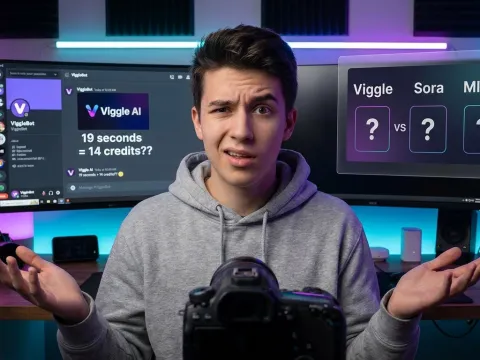
Here is where things get spicy. Users on Reddit and Discord often complain about the cost. A single 19-second video can sometimes eat through a surprising amount of api credits. The math doesn't always feel transparent to the end-user, leading to some frustration.
Managing your viggle api pricing requires a strategy. You can't just spam requests and hope for the best. Developers need to monitor their viggle api integration closely to avoid bill shock. It’s powerful tech, but "cheap" isn't the first word that comes to mind when scaling.
"The balance between hilarity and resource waste is a thin line. It’s funny until you see the bill for a few seconds of absurdity."
How to Get Started with Viggle API Integration
Getting your first successful character swap requires more than a lucky prompt. You need a clean source image and a clear reference video. The viggle api works best when the character has a distinct silhouette. Avoid baggy clothes or cluttered backgrounds if you want clean results.
First, you'll need to secure access to the viggle tool endpoints. Most developers start by testing the waters with a few manual calls. This helps you understand the latency involved in viggle video generation. It isn't instantaneous, so your application needs to handle asynchronous callbacks effectively.
Once you have your keys, the structure of a viggle api call is straightforward. You send an image URL and a video URL (or a template ID). The system then puts them in a queue. Depending on the load, your character replacement result could take anywhere from thirty seconds to several minutes.
Building Your First Viggle Video Generation Workflow
A standard workflow involves three main steps. First, the viggle api validates your assets. Second, the rendering engine processes the motion transfer. Finally, you receive a CDN link to the generated mp4. It sounds simple, but the error handling is where the work lies.
If the ai character replacement fails, it’s usually because the motion was too complex. The viggle api struggles with extreme camera angles or rapid foreground-background shifts. To keep things stable, use reference videos where the person stays relatively centered in the frame.
Optimizing Your API Credits Usage
Efficiency is key when dealing with viggle api pricing. Don't process the entire video if you only need the middle ten seconds. Trimming your assets before sending them to the viggle api saves time and money. Every second of video counts toward your total api credits consumption.
I recommend setting up a local cache for common templates. If multiple users want the same "Lil Yachty walk" motion, don't re-render it. Reuse the motion data. This keeps your viggle api integration lean and responsive while protecting your bottom line.
Key Features of the Viggle Tool Suite
What sets the viggle api apart from competitors like MIMO or Sora? It’s the focus on character consistency. While other models might generate a beautiful scene, they often lose the character's face halfway through. This viggle tool prioritizes the person above all else.
The coherence is what people find "mind-blowing." When you use the viggle ai motion creator, the character's features stay locked in. Even during complex turns, the eyes and mouth remain recognizable. This is the secret sauce for creators who want their memes to feel personal.
Another standout is the library of pre-built motions. You don't always have to provide a reference video. The viggle api provides access to a huge catalog of viral dances and movie clips. This makes the viggle video generation process much faster for standard content creation.
Advanced Character Replacement Capabilities
The viggle api isn't just for memes. It's a serious ai character replacement tool for pre-visualization. Filmmakers use it to see how a specific actor might look in a stunt sequence. It provides a rough, but accurate, look at the physical dynamics of a scene.
The "Mix" and "Animate" commands are the most popular. "Mix" allows for the classic character swap. "Animate" takes a text prompt and applies it to your image. This second option is where the viggle api becomes a true motion creator, moving beyond simple video-to-video transfers.
Comparing Viggle API Performance Tiers
| Feature Set |
Standard Access |
Pro API Tier |
Enterprise Usage |
| Processing Speed |
Variable Queue |
Prioritized |
Dedicated Instances |
| Max Resolution |
720p |
1080p |
Custom 4K Beta |
| Credit Multiplier |
1.0x |
0.8x Discount |
Negotiated Rate |
| Support Level |
Community Only |
Email Support |
Dedicated Slack |
If you're serious about scale, you'll eventually need a unified way to manage multiple AI models. You can manage your API billing and explore other high-end video models through specialized platforms. It helps to keep your toolset organized as the viggle api pricing scales up.
Real-World Use Cases for Viggle AI Motion
The most visible use case is "slander" content. TikTok and Twitter are full of videos where video game characters or politicians are performing absurd dances. The viggle api makes this accessible to anyone. You don't need to be a VFX artist to make a meme go viral anymore.
But let's look past the humor. Influencers use the viggle tool to "wear" digital fashion. Brands are testing how their mascots look in real-world environments. The viggle video generation engine allows for a level of brand-safe experimentation that was previously too expensive to produce.
Even the corporate world is dipping its toes in. Imagine a training video where the "character" is your actual CEO giving a high-five to a team in another country. It sounds cheesy, but the engagement rates for these viggle ai motion clips are surprisingly high because they catch the eye.
The Slander Potential and Meme Culture
The community has dubbed it "Agenda Hotel" content. These are hyper-specific, AI-driven jokes that rely on the viggle api to visualize weird scenarios. Because the output looks "silly" rather than hyper-realistic, it avoids some of the uncanny valley issues of Sora.
This "silliness" is actually a feature, not a bug. It signals to the viewer that the content is satirical. The viggle ai tool thrives in this space. It’s perfect for creators who want to poke fun at pop culture without being mistaken for creating malicious deepfakes.
Authenticity in the Age of AI Memes
There is a counter-argument, though. Some purists feel that viggle video generation lacks "humanity." They argue that a meme is only funny if someone actually spent time making it. When an ai motion creator does the work, the punchline can feel unearned or corporate.
I think the truth is somewhere in the middle. The viggle api is a tool, just like Photoshop was twenty years ago. It doesn't replace the joke; it just changes how the joke is delivered. The funniest viggle ai content still requires a human to pick the right character for the right motion.
Limitations and Alternatives to the Viggle API
No tool is perfect, and the viggle api has its share of quirks. The credit system is the biggest hurdle. Users frequently report that the cost-to-output ratio feels skewed. If you're building an app, you need to account for this in your own pricing model.
Then there’s the hardware demand. While the viggle api handles the rendering, the sheer volume of data being moved can lead to lag. If the servers are busy, your viggle video generation request might sit in a queue for a frustratingly long time.
Finally, we have the "Mainland Problem." Some of the best alternatives, like MIMO, require a Chinese phone number to register. This makes the viggle api the default choice for most Western developers, even if other tools might offer slightly different features.
Comparing Viggle AI to MIMO and Sora
MIMO is often cited as a stronger competitor for realistic motion. However, it’s much harder to access. Sora, on the other hand, is the gold standard for realism but lacks the specific "character replacement" focus of the viggle tool. Sora creates a whole world; Viggle just changes the person in it.
For most developers, the viggle api integration is simply more practical. It has a functioning endpoint, a clear (if expensive) credit system, and a massive community of users sharing templates. It’s the "stable" choice in a very unstable market of video AI tools.
Ethical Considerations and Community Guidelines
We can't talk about the viggle api without mentioning ethics. Replacing people in videos is a gray area. While the "silly" nature of viggle ai motion helps, the potential for misuse is real. Most communities have already started limiting how many posts you can make per day to prevent spam.
Developers using the viggle api should implement their own filters. Ensure that users aren't creating harmful content. It’s better to be proactive than to have your viggle api access revoked because your app became a hub for non-consensual deepfakes. Responsible viggle video generation is the only way the tech survives.
If you're looking to explore more ethical ways to use these technologies, you can explore all available AI models on GPT Proto. They provide a more managed environment for integrating these powerful tools into your stack without the headache of managing dozen of separate accounts.
Is the Viggle API Worth the Investment?
So, does the viggle api live up to the hype? If you are a developer looking to build the next viral meme app, the answer is a cautious yes. The tech is unmatched for specific character-swapping tasks. No other ai character replacement tool is as accessible right now.
But you have to watch the numbers. The viggle api pricing can eat your margins if you aren't careful. You need a solid monetization plan before you start scaling. Don't rely on "going viral" to cover your api credits bill—it’s a recipe for a quick shutdown.
For individual creators, the Discord bot remains the easiest path. But for those who want to build something unique, the viggle api integration is the only way to go. It offers the control you need to create something truly custom. Just keep your source images clean and your motions simple.
Maximizing ROI on Your Viggle Tool Workflow
To get the best return, focus on high-engagement niches. Don't just make random videos. Use the viggle ai motion creator to capitalize on trends as they happen. Speed is the biggest advantage of an API. If you can be the first to turn a new meme into a character-swapped video, you win.
You should also look into ways to reduce your dependency on a single provider. Using a unified platform can help. You can read the full API documentation to see how GPT Proto simplifies the process of switching between different video and image models as prices fluctuate.
The Final Verdict on Character Replacement Tech
The viggle api is a powerful, if flawed, tool. It represents the first wave of truly controllable AI video. While the credit costs are high and the ethics are complicated, the creative potential is undeniable. It has changed how we think about video editing and digital identity.
Whether you're making a joke or a prototype, the viggle tool suite provides the building blocks. Just remember to respect the community, watch your budget, and always prioritize the joke. After all, if it isn't funny, why are we even using the viggle api in the first place?
And if you ever get stuck, you can always learn more on the GPT Proto tech blog where we break down the latest shifts in the AI video landscape. Staying informed is the best way to keep your viggle video generation costs low and your output quality high.
Written by: GPT Proto
"Unlock the world's leading AI models with GPT Proto's unified API platform."