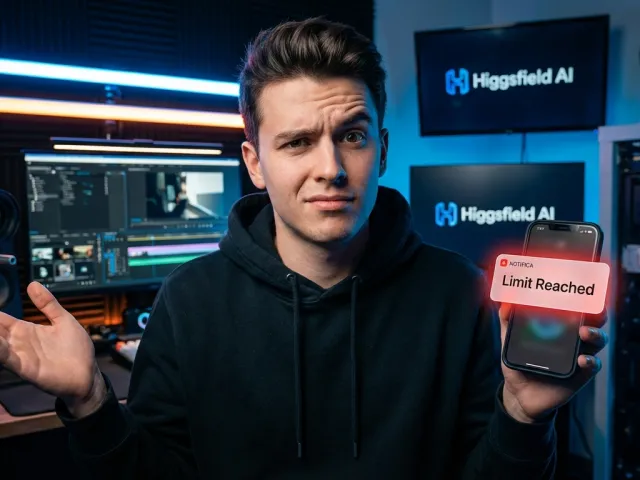
The Truth About higgsfield ai: Hype Versus Reality
I spend my days testing generative tools, APIs, and complex AI models. When higgsfield ai first launched, the marketing promised a seamless experience for video generation. It pitched itself as the ultimate creative companion for producing rapid social media content.
However, the actual user experience tells a very different story. Spend a few minutes reading feedback from real creators, and a clear pattern emerges. The reality of using higgsfield ai involves heavy credit consumption and frequent technical roadblocks.
Many professional developers prefer direct API access to bypass clunky consumer interfaces. Unfortunately, higgsfield ai forces users into a restrictive ecosystem. Instead of clean, reliable API endpoints, users are stuck navigating a mobile-first app environment.
If you genuinely want to build scalable video workflows, relying solely on higgsfield ai might compromise your production timeline. The platform struggles to deliver the professional consistency that high-end AI projects demand.
"The unlimited plan on higgsfield ai actually means 'unlimited until we decide you have used too much.' The cost of generation is simply lower elsewhere." — Frustrated Reddit User
Navigating the Confusing User Interface
A good AI tool should feel invisible, letting the output shine. The user interface of higgsfield ai does the exact opposite. It constantly interrupts the creative process. Users report feeling overwhelmed by constant pop-ups taking them to different screens.
Instead of a clean dashboard where you can monitor API calls or manage model parameters, higgsfield ai feels cluttered. You spend more time closing notifications than you do prompting the AI. This friction ruins workflow efficiency.
For those accustomed to sleek developer tools, testing the performance of higgsfield ai lite can be an exercise in frustration. The interface hides the actual technical controls behind flashy, social-media-style menus.
When you need to adjust API timeout settings or tweak generation steps, you want straightforward menus. The layout in higgsfield ai ignores basic professional usability, favoring a chaotic design aimed at casual smartphone users.
| Feature Area |
Standard API Platforms |
higgsfield ai Experience |
| User Interface |
Clean, minimalist, data-focused |
Cluttered, pop-up heavy, distracting |
| Cost Structure |
Pay-per-token or clear API pricing |
Opaque credits, throttled subscriptions |
| Support Quality |
Dedicated technical API support |
Automated bots, ignored refund requests |
The Catch Behind the Unlimited Plan
One of the loudest complaints about higgsfield ai concerns its deceptive subscription models. The marketing heavily promotes an "unlimited" generation tier. In the AI industry, unlimited API requests simply do not exist without some form of throttling.
Users quickly discover the harsh truth. After reaching an undisclosed limit, higgsfield ai suddenly chokes your generation speed. Some users even find themselves entirely locked out of the app until they purchase additional credits.
This bait-and-switch tactic destroys trust. If you are running an automated API script for a client, you need predictable costs. The credit consumption rate within higgsfield ai is aggressively high compared to raw model access.
When you factor in the high failure rate of AI video outputs, paying a premium for throttled access makes zero financial sense. You are essentially paying top dollar to beta test a constrained higgsfield ai environment.
Technical Limitations of higgsfield ai You Should Know
Under the hood, any AI video generator is only as good as its underlying architecture. While higgsfield ai can occasionally produce a stunning single clip, stringing together a cohesive narrative exposes deep technical flaws.
Video AI requires immense computational power and precise API routing. When servers get overloaded, the output suffers. In the case of higgsfield ai, users frequently encounter degraded performance during peak hours.
If you want to explore all available AI models, you will quickly see how far behind some consumer apps have fallen. Professional developers now demand absolute control over seed values and reference frames.
Unfortunately, higgsfield ai obfuscates these crucial technical parameters. You cannot easily pass specific API arguments to maintain continuity. You are forced to rely on the app's internal logic, which is wildly unpredictable.
- Frequent "melting" artifacts during complex character motion.
- Inability to lock seed values via a standard API request.
- Drastic changes in lighting and background between consecutive clips.
- High frequency of failed generations that still consume your credits.
Struggling with Character and Motion Consistency
The single biggest hurdle in AI video today is character consistency. Nobody talks about the higgsfield ai consistency issue enough. A character might start a video wearing a blue jacket and end it wearing a grey sweater.
For brands and marketers, this is a massive problem. You cannot use higgsfield ai to run a professional ad campaign if the lead actor's facial structure morphs halfway through a three-second walking sequence.
Consistent motion requires precise spatial mapping. High-end AI tools use advanced API endpoints to lock reference images. By contrast, higgsfield ai seems to "guess" the next frame blindly, resulting in jarring visual glitches.
Even if you try to test the capabilities of higgsfield ai standard, the results rarely hold up to scrutiny. The underlying model simply lacks the temporal stability required for serious production work.
"The character consistency issue is real. You spend hours generating clips, only to throw 90% of them away because the face changed completely. It wastes so much time." — Digital Creator
The Hidden Costs of Slow Generation Times
Time is money, especially when dealing with AI generation workflows. Early adopters praised the initial speed of higgsfield ai. However, as the user base grew, generation times slowed to an agonizing crawl.
Slow generation times ruin the iterative nature of AI prompting. If you have to wait five minutes to see if your higgsfield ai prompt worked, your creative momentum dies instantly. Efficient API tools deliver results in seconds.
This sluggish performance highlights the danger of relying on closed ecosystems. When you use a direct API connection through a robust provider, you bypass consumer queues. Users of higgsfield ai are stuck waiting in line.
Every minute spent waiting for higgsfield ai to render a flawed clip is a minute you could have spent editing. For agencies with strict deadlines, these prolonged server delays make the tool entirely unviable.
Evaluating Alternatives to higgsfield ai
The generative AI market is aggressively competitive. You do not have to settle for poor performance. The Reddit community frequently suggests abandoning higgsfield ai in favor of more transparent, reliable platforms.
Open-source models offer incredible power if you have the local hardware. However, most professionals prefer the convenience of cloud-based API access. Platforms like Fauxto Labs, Openart, and Fiddl.art are heavily recommended as direct alternatives.
These alternatives generally offer pay-as-you-go pricing. You only pay for the API calls you actually make. This eliminates the anxiety of watching your higgsfield ai credits vanish on failed video renders.
Furthermore, managing an AI budget requires visibility. It is much easier to manage your API billing on a professional platform than to fight a consumer app for a basic refund.
| Tool Type |
Pricing Model |
Best Use Case |
| higgsfield ai |
Throttled Subscriptions |
Casual mobile experiments |
| Dedicated API (GPT Proto) |
Pay-as-you-go API Token |
Pro developer workflows |
| Specialized VTO Tools |
Tiered B2B API access |
E-commerce and fashion |
Why Specialized AI Tools Outperform General Apps
One major flaw of higgsfield ai is its attempt to do everything at once. It tries to be a general-purpose image and video generator. In the AI space, generalization usually leads to mediocrity.
If you run a clothing brand, you do not need a general generator. You need a dedicated virtual try-on API. Tools like FASHN AI or Style3D AI map fabrics perfectly. higgsfield ai usually turns logos into unreadable smudges.
Specialized AI models are trained on highly curated datasets. A dedicated fashion API knows how denim wrinkles. The general architecture behind higgsfield ai lacks this specific domain knowledge, resulting in unnatural textures and weird anatomical flaws.
Professionals always choose specialized tools over a "jack of all trades" app. Instead of wrestling with higgsfield ai to produce a decent product shot, an e-commerce API will deliver perfect results on the first attempt.
Taking Control with API Platforms
The smartest move you can make is migrating away from closed apps entirely. Using a unified API gives you ultimate control over your AI projects. You determine the parameters, the model, and the spending limits.
For example, you might want to efficiently use higgsfield ai turbo or compare it against a totally different model. A unified API platform like GPT Proto lets you switch engines instantly without changing your code.
This developer-first approach solves the primary complaints leveled at higgsfield ai. You get up to 60% lower costs compared to official pricing, smart routing for speed, and a standardized interface that never interrupts you with pop-ups.
If you have never built an automated workflow before, you should read the full API documentation. Transitioning from a messy consumer app to a clean API environment is the best upgrade a digital creator can make.
Is higgsfield ai Worth the High Credit Consumption?
When you strip away the marketing, everything comes down to return on investment. The cost of running complex AI video models is inherently high. But the way higgsfield ai handles these costs feels aggressively punishing to the user.
Every time you hit the generate button, you roll the dice. Because higgsfield ai produces so many inconsistent clips, you end up paying for a massive amount of unusable digital waste. The credit burn rate is terrifying.
Compare this to a direct API connection. With an API, you pay fractions of a cent per token. You have granular control over step counts and resolution, allowing you to minimize costs. higgsfield ai hides these optimization options.
Ultimately, subscribing to the underlying models directly is far cheaper. The markup charged by higgsfield ai simply does not justify the poor user interface and the constant throttling experienced by heavy users.
- Direct API access is usually much cheaper than app credits.
- Failed generations drain your wallet without providing value.
- Lack of parameter control leads to wasted AI rendering time.
- Subscription limits severely restrict high-volume production.
Customer Support and Account Frustrations
Software bugs happen. API endpoints occasionally fail. What matters is how a company handles those failures. The customer support at higgsfield ai is widely considered to be non-existent, leaving users entirely stranded.
Reddit threads are filled with horror stories of unannounced account freezes. Users report sending multiple emails regarding billing issues, only to receive generic AI bot responses. Getting a human to look at a higgsfield ai refund request is virtually impossible.
If you rely on an AI service for client work, you need enterprise-grade reliability. A professional API provider offers status dashboards and actual technical support. With higgsfield ai, you are completely on your own when things break.
This lack of accountability makes it impossible to recommend higgsfield ai for business use. You cannot risk your production pipeline on a company that refuses to answer basic billing inquiries or acknowledge system outages.
"I sent emails multiple times about a billing issue and kept getting back AI-generated responses. My account was frozen, and I lost all my credits. Terrible support." — Reddit User
The Final Verdict for Professional Users
So, where does this leave us? If you are a hobbyist who wants to make a quick, quirky video on your phone, higgsfield ai might provide five minutes of entertainment. But you must keep your expectations incredibly low.
For everyone else—developers, marketers, and video editors—the platform falls entirely flat. The misleading unlimited plans, the high cost of credits, and the severe lack of character consistency make higgsfield ai a poor investment.
The smartest professionals treat AI as infrastructure, not as a toy. They prefer the stability of an API over the chaos of an app. You should always monitor your API usage in real time through a reliable provider.
Stop fighting with cluttered interfaces and automated support bots. Transition your workflows to dedicated API platforms. You will save money, retain total creative control, and finally get the consistent AI results your projects deserve.
Original Article by GPT Proto
"Unlock the world's top AI models with the GPT Proto unified API platform."