TL;DR
The gpt image2 model is a massive step forward for photographic fidelity, mastering global illumination and skin texture in ways that make AI detection incredibly difficult. However, it still struggles with organic nature scenes and image-to-image artifacts.
Seeing a gpt image2 render for the first time is jarring. It lacks that glossy, over-saturated look common in early diffusion models, opting instead for the grit and imperfection of a real camera sensor. It is exactly what professional designers have been waiting for, even if it requires some clever prompt engineering to avoid the rough edges.
While the realism is the headline, the real utility lies in character consistency and SVG generation. If you can navigate the nature-generation hurdles, this model provides a level of control that finally makes AI imagery feel like a professional tool rather than a toy.
GPT Image 2 Realism and Photographic Fidelity
The first time I saw a gpt image2 output, I honestly thought someone had posted a high-res mirrorless shot to the wrong forum. There is this specific level of texture in the skin and fabric that makes you double-check the sub-Reddit name. It is not just about the pixel count anymore.
Users are reporting that the realism in these detailed outputs is reaching a point where AI detection is becoming a legacy skill. When you zoom in, the micro-details hold up. You don't see that characteristic "ai mush" in the background as often with this gpt image2 model.
One of the most striking examples involves a specific prompt for a residential bathroom under construction. The way the light hits the raw drywall and the sawdust on the floor looks startlingly authentic. You can find this model and others on the gpt image2 official listing page.
Advanced Lighting Understanding
The lighting understanding in this model is a massive leap forward. Previous iterations struggled with how light bounces off complex surfaces. This gpt image2 engine understands global illumination in a way that feels physical rather than mathematical. It avoids that "perfect" plastic look.
Instead of just applying a generic camera flash, the lighting understanding creates depth. Shadows have the right softness. Highlights on metal or glass don't just blow out; they bleed naturally into the surrounding pixels. It makes realistic images look like they were captured by a lens, not a GPU.
Detailed Outputs and Visual Texture
When we talk about detailed outputs, we are looking at the fine-grain noise that defines reality. Our eyes are trained to spot "too-clean" images as fake. This gpt image2 model introduces subtle imperfections that mimic film grain or digital sensor noise perfectly.
"The second image is so incredibly real I had to zoom in and verify it was actually AI. We have reached the point where it's genuinely impossible to tell."
This texture extends to textiles and complex patterns. Whether it is the weave of a linen shirt or the grit on a concrete wall, the model maintains high fidelity across the entire frame. This is why many consider it the best image generator for architectural visualization currently available.
GPT Image 2 Generator Capabilities and Creative Control
Beyond just looking real, the gpt image2 generator offers significant improvements in how it handles specific creative constraints. It is one thing to make a pretty picture; it is another to follow a complex architectural or fashion prompt exactly as written.
The core engine handles spatial relationships much better than its predecessors. If you ask for a specific object "to the left of the mahogany desk," it stays there. The gpt image2 logic reduces the "drift" often seen in older diffusion models where objects would wander around the canvas.
This level of control is essential for professional workflows. Designers are using the gpt image2 model to create mood boards that don't need a thousand words of explanation. The image does the talking because the detailed outputs align with the professional intent behind the prompt.
Character Consistency Skills
Character consistency skills have been the holy grail of ai image generation for a while. Usually, you get a great face in one shot, and a completely different person in the next. This gpt image2 model shows a much stronger grasp of facial structure and recurring features.
If you are building a storyboard, having your protagonist look the same across multiple scenes is non-negotiable. While not 100% perfect yet, the character consistency in this version is significantly more stable. It remembers bone structure and hair texture across different lighting environments and angles.
Image To Image Limitations and Artifacts
Here is the catch: image-to-image generation is still a bit of a headache. When you feed a reference photo into the gpt image2 generator, it has a habit of "shimmering" through. You get these weird artifacts where the original image and the new generation don't quite merge.
It almost looks like a double exposure gone wrong. The gpt image2 model tends to overlay the new details on top of the old ones rather than reimagining the scene. This leads to speckling or grain patterns that shouldn't be there. You'll need specific negative prompts to clean this up.
Comparing GPT Image 2 Plus Performance
For those pushing the limits, the GPT Image 2 Plus variant offers even higher ceiling for complex renders. It seems to have a larger parameter count dedicated to semantic alignment. This means it misses fewer words in long, descriptive prompts.
Performance-wise, the "Plus" version handles high-contrast scenes better. If you have a scene with a bright window and a dark interior, the dynamic range is visibly superior. The gpt image2 model doesn't crush the blacks or blow out the whites as aggressively as the base version.
Testing these models requires a reliable platform. If you're a developer, you might want to track your GPT Image 2 API calls to see which variant gives you the best ROI for your specific use case. The data usually favors the Plus version for commercial work.
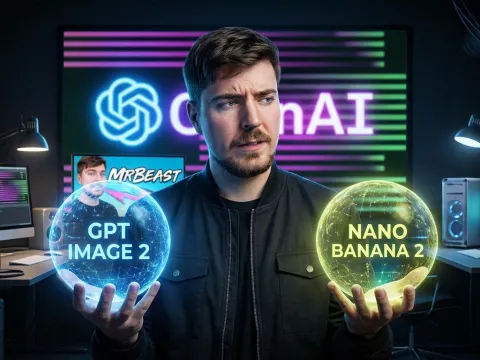
GPT Image 2 Model vs Nano Banana 2
The debate between the gpt image2 model and Nano Banana 2 (NB2) is heating up in the community. NB2 is often praised for its "raw" photographic accuracy, especially in outdoor lighting. Some argue that NB2 understands sunlight better than the gpt image2 logic.
| Feature |
GPT Image 2 |
Nano Banana 2 |
| Lighting |
Dynamic & Moody |
Physically Accurate |
| Character |
High Consistency |
Moderate Consistency |
| Nature |
Stylized/Abstract |
Very Realistic |
| Text/SVG |
Functional SVG |
Limited Code |
In side-by-side tests, NB2 often wins on outdoor foliage. The gpt image2 engine sometimes makes trees look like a painting rather than a photo. However, when it comes to interior design and character-driven scenes, the gpt image2 model generally pulls ahead with better detail.
GPT Image 2 vs Gemini
Then there is Gemini. Google’s model has its own flavor of realism, but it often feels more "sanitized" or "stock photo" than the gpt image2 model. Gemini is great for quick, safe images, but it lacks the grit and character that Redditors are loving about this new OpenAI release.
The gpt image2 model feels more like a tool for artists, while Gemini feels like a tool for corporate presentations. Both have their place. But if you want something that looks like it has a soul (or at least a very high-quality sensor), gpt image2 is the current winner in the ai image creator space.
Realistic Image Generator Prompting and Best Practices
Getting the most out of a realistic image generator isn't just about typing "cool car." You need to talk to it in a way it understands. The prompt engineering for the gpt image2 model requires a mix of technical photography terms and structural cues.
One major tip: be hyper-specific about the environment. Instead of "a bathroom," try "the interior of a typical new-build residential bathroom in North America, while it is under construction." This gives the gpt image2 engine the context it needs to pull the right lighting models and textures.
And don't ignore the technical side. Using words like "subsurface scattering" or "global illumination" can actually help the model prioritize lighting understanding. It signals to the gpt image2 logic that you are looking for a specific type of high-end rendering.
GPT Image 2 Api Integration and Scaling
For developers, the gpt image2 api is where the real power lies. Integrating this into an app allows for high-speed, on-demand realistic images. But managing costs across different providers can be a nightmare. This is where a unified platform becomes a game-changer.
With GPT Proto, you get a single entry point for the gpt image2 api and dozens of other top-tier models. Here's the kicker: you can often get up to a 70% discount compared to direct pricing. It's a smart way to manage your API billing without juggling ten different credit card statements.
The GPT Proto unified API handles the scheduling and routing. If one provider is down, your gpt image2 api calls can route to another automatically. It is that kind of reliability that makes or breaks a production-level AI application. You get multi-modal access without the multi-vendor headache.
Prompt Engineering and Negative Cues
To avoid the artifacts we discussed earlier, you have to master negative prompt engineering. This is the act of telling the gpt image2 model what *not* to do. It is just as important as the positive prompt when dealing with nature or image-to-image tasks.
- SURFACE PURITY: No speckling on skin or fabric.
- NO ARTIFACTS: Avoid dotted or grain patterns in flat areas.
- PATTERN LOCK: No striped or woven patterns on clothing unless requested.
- NATURE FIX: Avoid stylized or abstract leaves; use "organic randomness."
Using these negative prompts helps the gpt image2 generator stay on track. It forces the model to discard the "easy" stylized solutions and work harder on the realistic images you actually want. It is the difference between a mid-tier result and a professional-grade render.
The Nature Struggle and Text Generation
We need to talk about the "nature problem." For some reason, the gpt image2 model really struggles with grass, leaves, and complex organic landscapes. It often defaults to a look that is slightly too sharp or looks like a high-end 3D render from 2015 rather than a photo.
If your goal is a realistic nature shot, you might find yourself frustrated. The lighting understanding works, but the geometry of a thousand individual leaves seems to overwhelm the gpt image2 logic. You end up with "clumpy" trees or grass that looks like green carpet.
It is quite obvious that the training data for the gpt image2 model was heavily weighted toward interiors and people. While it is the best image generator for many things, nature photography is currently its Achilles' heel. You really have to fight it with negative prompts to get something passable.
Text Accuracy and SVG Capabilities
On the bright side, the gpt image2 model can actually write. Mostly. It can generate valid SVG code, which is a massive win for designers. You can ask for a logo and actually get code you can use in a web project. That is a functional leap forward.
But the text inside the actual images? It's still a bit "cringey" sometimes. It might get the letters right, but the kerning or the choice of font feels... off. It is like the model knows what letters look like but doesn't understand the "vibe" of typography yet.
Is the GPT Image 2 Model Worth It?
Despite the nature and artifact issues, the answer is a resounding yes. The realism in the detailed outputs is unmatched in the current market. If you are doing architectural viz, character design, or product mockups, the gpt image2 generator is your new best friend.
Just keep in mind the limitations. Don't expect it to nail a forest scene on the first try. And if you're using it for professional scaling, look into the get started with the GPT Image 2 API documentation to automate your workflow. The efficiency gains are too big to ignore.
At the end of the day, gpt image2 represents a shift. We aren't asking "can AI make a picture?" anymore. We are asking "is this the right lens for my AI photo?" That is a huge distinction. And for most of us, this gpt image2 engine is the right lens.
Written by: GPT Proto
"Unlock the world's leading AI models with GPT Proto's unified API platform."