Wan 2.5 API: Fast Video Generation and Creative Integration
Discover the next generation of creative tools at https://gptproto.com/model, where the Wan 2.5 API offers unmatched performance for creators and developers alike.
Wan 2.5 emerges as a dominant force in the open-source generative video space. Developed by Alibaba, this Wan AI release sets a new standard for accessibility and quality. Unlike many restricted platforms, the Wan 2.5 model provides the community with the weights and architecture necessary for custom fine-tuning and specialized workflows. This transparency accelerates innovation, allowing developers to build niche applications on top of the Wan 2.5 API without the constraints of proprietary silos.
Wan 2.5 Features for Modern Media Production
The core strength of the Wan 2.5 API lies in its dual-modality support. It handles both text to video and image to video generation with high temporal consistency. When processing text to video prompts, Wan 2.5 interprets complex spatial relationships and motion dynamics, resulting in clips that look fluid and intentional. For image to video tasks, Wan 2.5 excels at preserving the identity and details of the source image while introducing realistic movement. This makes the Wan 2.5 model a preferred choice for animators and digital marketing agencies requiring predictable outputs.
Technical specifications indicate that Wan 2.5 leverages advanced diffusion techniques. For those running the Wan 2.5 model locally, hardware requirements remain a consideration. Redditors suggest using a high-end GPU like a GTX 4090 or 5090 to achieve acceptable generation times. Using the Wan 2.5 API on GPTProto bypasses these hardware hurdles, delivering fast Wan AI results through our optimized infrastructure.
Professional Wan AI Video Workflows
Integrating Wan AI into existing production pipelines often involves using tools like ComfyUI or Pinokio. These interfaces allow for modular control, where Wan 2.5 can act as a primary generator or a refiner. For example, some users generate initial frames with other models and then apply a Wan 2.5 low-noise pass to enhance the final video quality. This hybrid approach maximizes the unique temporal smoothing found in the Wan 2.5 API architecture.
"Wan 2.5 represents a significant shift toward high-quality, open-source video tools. Its ability to refine static images into cinematic sequences provides a level of control previously reserved for high-budget studios."
Wan Video Capabilities Compared to Market Leaders
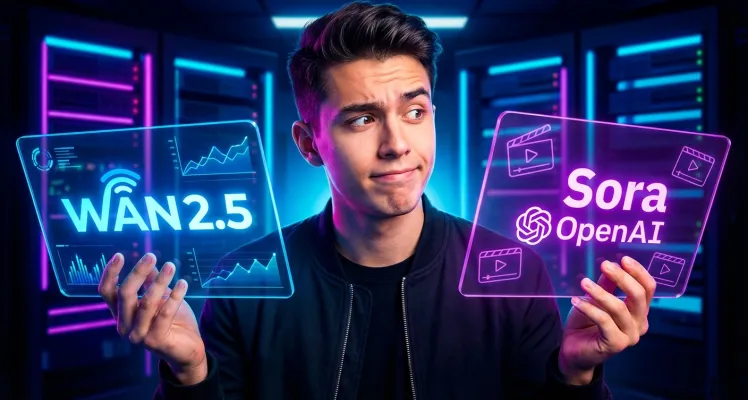
Understanding where the Wan 2.5 model sits in the competitive landscape requires direct comparison. While closed-source competitors offer impressive results, the Wan 2.5 API provides a balance of cost-efficiency and quality. Latest Wan video news updates suggest the model's community-driven improvements are quickly narrowing the gap with industry giants.
| Feature Set | Wan 2.5 API | Sora (Closed Beta) | Kling AI |
|---|---|---|---|
| Source Type | Open Source | Proprietary | Proprietary |
| Video Generation Speed | High (API) | Varies | High |
| Text to Video Quality | Professional | Cinematic | High-fidelity |
| API Availability | Public Access | Restricted | Limited |
| Image to Video Logic | Advanced Refinement | Unknown | Stable |
Why Developers Integrate Wan 2.5 API Access
Stability and cost-predictability are critical for production software. The Wan 2.5 API on GPTProto eliminates the complexity of local server management. Developers can manage your API billing with a transparent pay-as-you-go model. This ensures that scaling a project using Wan 2.5 doesn't lead to unexpected overhead or maintenance downtime. Furthermore, the Wan AI integration process is streamlined via our read the full API documentation portal, providing SDKs and example code for rapid deployment.
Optimizing Wan Model Latency and Throughput
To get the most out of the Wan 2.5 API, users should consider prompt engineering and resolution settings. Lowering the initial frame count can accelerate the Wan 2.5 generation process for rapid prototyping. For final production assets, increasing the sampling steps within the Wan 2.5 model ensures maximum visual fidelity. Developers can monitor your API usage in real time through the GPTProto dashboard to optimize their token spend and track Wan 2.5 performance metrics across different project environments.
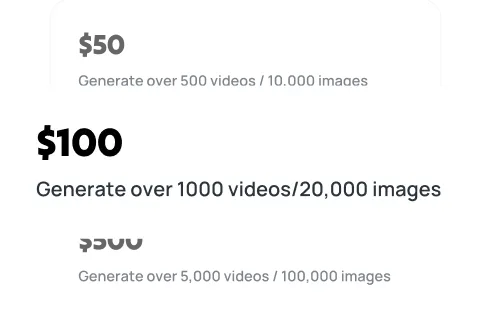
Wan 2.5 Pricing and Scalability on GPTProto
The GPTProto platform provides a robust environment for running Wan 2.5 at scale. By removing the need for local GPU clusters, we enable businesses to focus on the creative aspect of video generation. Our Wan 2.5 API infrastructure is built for high availability, ensuring that your application stays responsive even during peak demand. Users looking for even more advanced features can try GPTProto intelligent AI agents to automate the Wan 2.5 prompting process, creating end-to-end video production loops with minimal human intervention.
For those interested in the broader ecosystem, the GPTProto tech blog frequently features deep dives into Wan 2.5 optimization and new model releases. Staying informed through AI industry news and trends ensures your team remains at the forefront of the generative video curve. Start using the Wan 2.5 API today to transform your creative ideas into high-quality digital motion.