Sora 2 API and Video Generation: Mastering Cinematic Prompts
If you want to create high-fidelity video, you should browse Sora 2 and other models available on our platform. Sora 2 has changed how we think about moving images, but getting that perfect shot requires more than just a lucky guess.
Sora 2 Prompt Generators That Actually Deliver Results
Getting the right output from Sora 2 starts with your input. Many creators struggle because they treat the AI like a search engine rather than a director. To fix this, several specialized tools have emerged. Studio Prompt is a standout choice for Sora 2 users, offering a scene-by-scene builder and over 64 presets that feel like they came straight out of a Hollywood studio. It gives you a real-time Sora 2-compliant preview so you don't waste your compute on bad ideas.
Another excellent resource is VideoPrompt.online. This tool is great because it takes a basic concept and automatically adds the technical layers Sora 2 needs, like specific camera angles and sound effect descriptions. If you're a ChatGPT power user, the Sora 2 Prompt Builder GPT is a custom integration that walks you through a step-by-step interview to build production-ready prompts. These tools are essential because Sora 2 thrives on detail, and these generators ensure you don't miss the technical nuances that make a video look real.
Why Thinking Like a Director Changes Your Sora 2 Output
The biggest shift in mindset when using the Sora 2 AI API is moving from 'describing a thing' to 'directing a scene.' Instead of saying 'a car driving,' you need to specify the camera movement, the lighting, and the mood. Directors don't just see a car; they see a low-angle tracking shot of a vintage sedan catching the glint of the setting sun on a wet asphalt road. This level of detail is what the Sora 2 model needs to calculate physics and reflections accurately.
The biggest unlock with Sora 2 is learning how to think like a director instead of just describing 'a thing happening.' You have to tell the AI where the light is coming from and how the camera should move through the space.
When you use Sora 2 through GPTProto, you can track your Sora 2 API calls in real time to see how different prompt structures affect your usage and results. I've found that including specific framing like 'medium shot' or 'extreme close-up' drastically improves the consistency of the Sora 2 video output.
What Are the Essential Elements of a Sora 2 Prompt?
To get the most out of the Sora 2 AI, you need to include six key elements in every prompt. First is the camera framing—tell the model if it's a wide shot or a macro shot. Second is lighting; mention things like 'golden hour' or 'soft diffused light.' Third is camera movement, such as 'slow 360-degree tracking shot.' Fourth is the visual tone or color palette. Fifth is the subject action in environmental context. Finally, include technical specifications like 'cinematic film grain' or 'shallow depth of field.'
For those looking for the latest updates on these tools, check out this Sora 2 prompt generator news and updates article which covers the most recent software releases for video creators. Including these elements ensures that the Sora 2 engine doesn't have to fill in the blanks with generic data.
How to Refine Your Sora 2 Results Using Advanced AI Tools
Refinement is where the magic happens. I often use ChatGPT to take a raw idea and turn it into a Sora 2 masterpiece. While some people use Gemini for reference images, ChatGPT is objectively better at refining the text-based logic that Sora 2 follows. You can also experiment with emojis. Some Redditors have found that adding specific strings of emojis can trigger unexpected creative directions in Sora 2 that standard text might miss.
If you encounter watermarks during your testing phase, tools like removesorawatermark.online can help clean up your drafts. However, for professional deployment, you'll want to read the full API documentation to ensure you're pulling clean, high-resolution files directly from the source. This is the best way to maintain quality when integrating Sora 2 into your own apps or workflows.
Sora 2 vs Standard Video Alternatives
| Feature | Sora 2 Model | Runway Gen-3 | Pika 1.5 |
|---|---|---|---|
| Physics Accuracy | High-Fidelity | Moderate | Stylized |
| Prompt Sensitivity | Extreme | High | Moderate |
| Max Duration | Up to 60s | Up to 10s | Up to 4s |
| Resolution Support | Full 1080p+ | 1080p | 720p/1080p |
Integrating the Sora 2 AI Into Your Workflow Without Credits
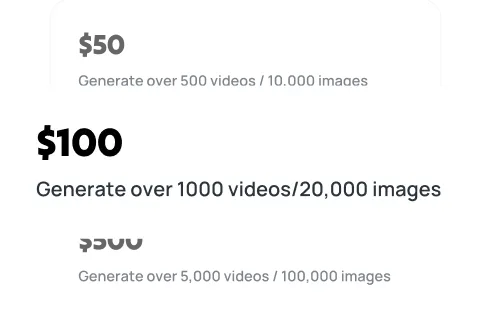
One of the best things about our platform is how we handle the Sora 2 API. We hate the 'credit' system as much as you do. Instead of buying arbitrary points, you can manage your API billing with a transparent, pay-as-you-go model. This allows you to scale your Sora 2 usage based on actual project needs rather than being stuck with a subscription that doesn't fit your pace.
If you're just starting, I recommend checking out the GPTProto tech blog for deep-dive tutorials on Sora 2 integration. We cover everything from Python scripts to Node.js implementations. This makes it much easier to stay focused on the creative side while we handle the heavy lifting of the Sora 2 infrastructure. You can also join the GPTProto referral program to earn commissions while you build with the world's most advanced video AI.