Why Nanobanana2 Matters Now
I’ve seen a lot of tools come and go, but nanobanana2 is sticking around for a reason. It’s not just another AI image generator. It’s the one people are actually using to build real workflows, despite the friction.
The hype around nanobanana2 stems from its specific rendering style. It has a way of handling light and texture that feels less "plastic" than early versions of other AI models. It’s gritty when you want it to be.
But let’s be real for a second. Using nanobanana2 isn’t exactly a walk in the park. It requires a bit of a "hacker" mindset. You aren't just typing a prompt; you’re negotiating with a vision model.
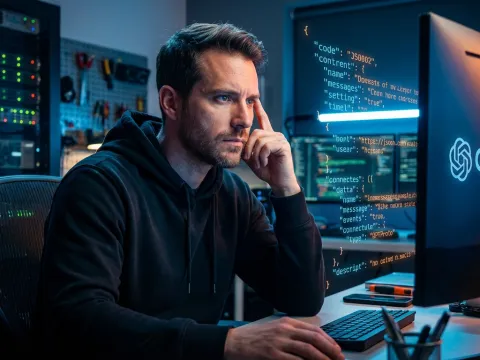
Search interest is spiking because users are finding that nanobanana2 offers a level of control that’s hard to find elsewhere. Especially when you start digging into the JSON prompt structures that drive the underlying engine.
If you’re trying to understand the current AI landscape, you have to look at how nanobanana2 fits in. It’s the "prosumer" choice. It’s for people who want results and are willing to tweak parameters to get them.
The Evolution of Nanobanana2 in AI Image Gen
The transition to nanobanana2 marked a shift in how we think about model safety and creativity. Early versions were wide open, but the current nanobanana2 iteration is much more constrained, for better or worse.
We’ve moved from simple text-to-image to complex multi-stage workflows. With nanobanana2, the focus has shifted toward hyper-realism. Think skin micro-textures, natural asymmetries, and lighting that actually follows the laws of physics.
And here is where it gets interesting. When you explore nanobanana2 via gemini-3.1-flash-image-preview, you start to see the bridge between raw power and speed. It’s about getting that first draft right, fast.
The jump from version 1 to nanobanana2 wasn't just about resolution. It was about how the AI understands human anatomy and the subtle cues that make a photo look real instead of generated.
Practitioners aren’t just using nanobanana2 for fun anymore. They are using it to build digital assets, marketing materials, and even full AI-driven personas. It’s a tool for creators who need high-fidelity outputs consistently.
But this power comes with a steep learning curve. The evolution of nanobanana2 has introduced stricter filters. You have to learn the language of the model to navigate these boundaries effectively without losing quality.
So, why does it matter now? Because nanobanana2 represents the current frontier of accessible high-end AI art. It’s where the community is experimenting the most, sharing prompts, and breaking things to see how they work.
Core Nanobanana2 Concepts Explained
To master nanobanana2, you need to understand that it’s not just reading your words. It’s interpreting your intent through a specific architectural lens. It’s more of a collaborative process than a simple command.
The first core concept in nanobanana2 is the "Seed." This is the DNA of your image. If you find a look you love, you keep that seed. It’s the only way to stay sane when iterating.
Then there’s the JSON prompt structure. Unlike basic AI tools, nanobanana2 often responds better when you format your instructions. It’s like giving the API a set of blueprints rather than a vague description.
Weighting is also critical. In nanobanana2, you can’t just list things. You have to tell the AI what matters most. Is it the lighting? The subject? The background? You decide the hierarchy of importance.
I’ve found that nanobanana2 thrives on technical detail. Instead of saying "a pretty girl," you describe the lens type, the f-stop, and the specific ISO setting. The AI treats these as stylistic instructions.
Mastering Character Consistency with Nanobanana2
One of the biggest headaches in AI is making the same person twice. With nanobanana2, character consistency is possible, but it requires a very specific workflow that most beginners ignore entirely.
Here’s the secret: use reference images. Every time nanobanana2 gives you a win, feed that image back into the next prompt. It creates a feedback loop that "trains" the current session on your subject’s features.
You can also learn more on the GPT Proto tech blog about how professional creators manage these long-term character projects. Consistency isn't an accident; it's a deliberate technical strategy involving model sheets.
Model sheets are just collections of images showing your character from different angles. By referencing these in nanobanana2, you give the model a 360-degree understanding of what the subject is supposed to look like.
And don’t forget about the "negative prompt." In nanobanana2, telling the AI what *not* to do is just as important as telling it what to do. This keeps the character's face from morphing into something else.
So, the workflow looks like this: Generate, Select, Reference, Repeat. It’s a bit tedious, but if you want a consistent nanobanana2 influencer or character, this is the only way that actually works.
Step-by-Step Walkthrough for Nanobanana2
Let's get practical. If you’re staring at a blank prompt box in nanobanana2, you’re doing it wrong. You need a template. Start with the "Subject," then move to "Setting," then "Lighting," and finally "Camera."
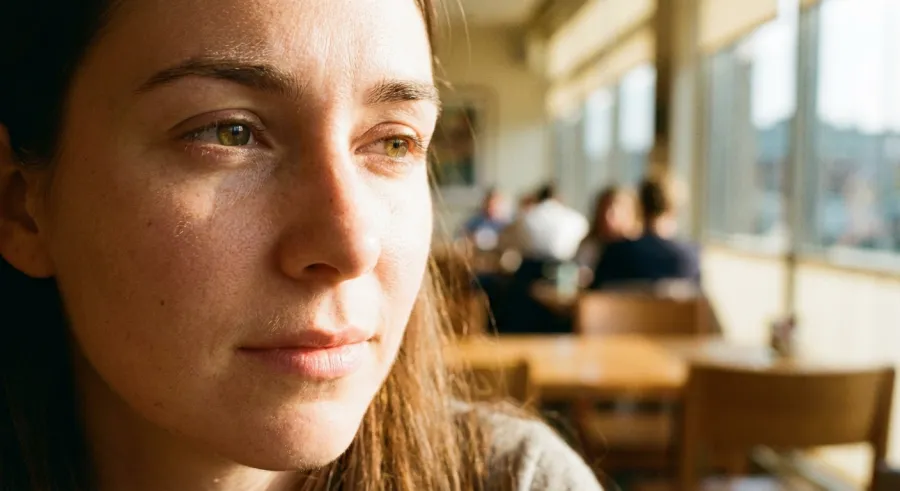
For example, if I want a realistic lifestyle shot in nanobanana2, I don't just ask for it. I specify: "Subject: 25-year-old woman, Setting: sun-drenched cafe, Lighting: golden hour, Camera: 35mm film, grainy texture."
Once you have your base, it's time to run the first generation. Don't expect perfection. The first nanobanana2 output is just a scout. It tells you how the AI is interpreting your specific combination of words.
Now, look at the flaws. Is the skin too smooth? Add "micro-texture" to your nanobanana2 prompt. Is the background too busy? Increase the "bokeh" or "depth of field" values in your next iteration.
Many users struggle with the nanobanana2 interface because they expect it to be psychic. It's not. It's a high-performance engine that needs clear, specific fuel to run at its best capacity for you.
Building AI Influencers via Nanobanana2
Creating an AI influencer with nanobanana2 is the "Gold Rush" of the moment. People are building entire brands using nothing but these pixels. But the successful ones aren't just getting lucky with prompts.
To build a real influencer, you need a workflow that handles dozens of images a day. You need to manage your API billing effectively so you aren't cut off mid-project during a high-output session.
The workflow for a nanobanana2 influencer starts with a "Style Guide." This is a document where you list all the specific prompt keywords that define your influencer’s look, from their hair color to their favorite outfits.
Realism is the key. To make a nanobanana2 influencer look human, you have to embrace imperfection. Ask for "slight skin blemishes" or "stray hairs." It’s the "uncanny valley" that usually kills these projects; detail saves them.
And remember, nanobanana2 can be temperamental with poses. Use "Action Keywords" to get more natural stances. Instead of "standing," try "mid-stride" or "reaching for a cup." It makes the nanobanana2 output feel dynamic and alive.
Once you have a set of images, you need to scale. This is where tools like GPT Proto come in. Using a unified API platform allows you to switch between models if nanobanana2 starts acting up or becomes over-censored.
Common Nanobanana2 Mistakes and Pitfalls
The biggest mistake I see? People give up after the first "Safety Error." Look, nanobanana2 is heavily censored. If you get an error, it doesn't mean your prompt is "bad"—it just means you hit a tripwire.
Another pitfall is "Keyword Stuffing." Adding forty different adjectives doesn't make the nanobanana2 image better. It just confuses the model. It’s better to have five powerful, specific words than a paragraph of fluff.
People also forget to check their aspect ratios. If you always use 1:1, you’re missing out on the cinematic potential of nanobanana2. Changing the ratio can actually change how the AI composes the entire scene.
And let's talk about the "JSON Dance." If you are interacting with the nanobanana2 engine through an API, format errors will kill your progress. One missing comma and the whole request fails. Keep your code clean.
Finally, there's the "Server Overload" issue. Sometimes nanobanana2 just disconnects. It’s frustrating. Don't take it personally. It’s usually just a spike in traffic or a backend update being pushed by the developers.
Navigating NSFW Filters in Nanobanana2
It’s no secret that the community is constantly trying to bypass the strict nanobanana2 filters. Whether you are trying to generate a swimsuit shot or something more "lifestyle" oriented, the filters can be aggressive.
One trick that actually works is "Iterative Tweaking." Instead of changing the whole prompt, you change one tiny word at a time. This keeps you under the radar of the nanobanana2 safety model while slowly nudging it.
Some users have discovered that extreme aspect ratios, like 1:8 or 8:1, can sometimes bypass the vision checker in nanobanana2. The theory is that the checker can't properly "see" images that are that skinny or wide.
You can also clean up nanobanana2 images using an image-watermark-remover if the model adds weird artifacts during a filtered generation. Sometimes the "censorship" just manifests as messy pixels or unwanted overlays.
But be careful. If you push the nanobanana2 filters too hard, you risk a permanent ban on your account. It’s a cat-and-mouse game. Always have a backup plan and a different model ready to go if needed.
The goal isn't to "break" nanobanana2; it's to understand its boundaries. Once you know where the lines are drawn, you can work right up to the edge to get the artistic results you actually want.
Expert Tips and Best Nanobanana2 Practices
If you want to move from "User" to "Expert" in nanobanana2, you have to start thinking about post-processing. A raw image out of the model is just the beginning. It’s the "Digital Negative" that you need to develop.
Use a "Custom GPT" for your lifestyle prompts. I’ve seen some great ones that are specifically tuned to the nanobanana2 vocabulary. They help you translate your "human thoughts" into the technical language the AI prefers.
Batching is another expert move. Don't just generate one image for a nanobanana2 prompt. Generate four or eight. The "Seed Variation" means that one of those will likely be significantly better than the others.
And keep a "Prompt Library." When you hit a home run with nanobanana2, save that prompt. Categorize it by lighting, subject, and mood. Over time, you’ll build a toolkit that makes you ten times faster.
I also recommend using "Negative Weights" for specific colors or objects that nanobanana2 likes to hallucinate. If the model keeps adding random trees to your city scene, put "--no trees" or the equivalent weight in your prompt.
Technical Workarounds for Nanobanana2 Errors
Errors are part of the nanobanana2 experience. If you see "Internal Server Error," just wait sixty seconds. If you see a "Safety Block," it’s time to rethink your nouns. Try using synonyms that are less "sensitive."
Sometimes, the nanobanana2 API will time out. This is often due to the complexity of the request. Simplify your prompt, or try a different aspect ratio to reduce the processing load on the backend server.
To avoid getting stuck, read the full API documentation for the underlying models. Understanding the rate limits and the specific error codes will save you hours of head-scratching when things go wrong.
If you’re seeing "Random Disconnections," it might be your local network or a regional server issue. Try using a VPN to change your location. It sounds simple, but it’s a common fix for nanobanana2 stability issues.
Remember, nanobanana2 is still evolving. What works today might be "patched" tomorrow. Stay active in communities like Reddit to see what the latest workarounds are for the ever-shifting technical landscape of the model.
And finally, don't be afraid to switch tools. If nanobanana2 is giving you a headache, try another model for a bit. Sometimes a "reset" is all you need to approach your prompt from a fresh, more effective perspective.
Scaling Nanobanana2 Results for Pro Projects
So you’ve mastered the prompts. Now what? If you’re using nanobanana2 for a business or a large-scale creative project, you need to think about production value. A 1024x1024 image isn't going to cut it.
This is where "Upscaling" becomes your best friend. You can enhance nanobanana2 visuals with an image-upscaler to bring them to 4K or even 8K resolution without losing those precious micro-textures.
Scaling also means diversifying. You shouldn't rely solely on nanobanana2. A robust AI strategy uses different models for different tasks. Maybe nanobanana2 is for the characters, and another model is for the landscapes.
Using a platform like GPT Proto makes this easy. You get one API that talks to everything. You can access OpenAI, Google, and Claude models all from one place, giving you a "fallback" if nanobanana2 has a bad day.
Plus, with GPT Proto, you can save up to 70% on mainstream AI API costs. If you’re generating thousands of nanobanana2 images for an AI influencer agency, those savings aren't just "nice to have"—they are the difference between profit and loss.
Future Proofing Your Nanobanana2 Workflow
The AI world moves at light speed. To keep your nanobanana2 workflow relevant, you need to stay flexible. Don't get too attached to one specific prompt or one specific trick that might get updated away.
Keep an eye on the "Multi-Modal" trend. Soon, nanobanana2 won't just be taking text prompts; it will be taking video, audio, and complex 3D data as input. Start experimenting with "Image-to-Image" workflows now.
You should also explore all available AI models regularly. Even if nanobanana2 is your favorite, knowing what the competition is doing will help you understand where the "state of the art" is moving.
And finally, focus on the "Human Element." AI can do the rendering, but you do the directing. The most successful nanobanana2 users are the ones with a strong artistic vision who know how to "bend" the AI to their will.
Future-proofing isn't about the tech; it's about the strategy. Master the core principles of lighting, composition, and character, and you’ll be able to use nanobanana2—or whatever comes after it—with total confidence.
Look, nanobanana2 is a powerful, messy, and brilliant tool. It’s not perfect, but that’s what makes it interesting. If you’re willing to put in the work, the results are nothing short of spectacular. Now go out there and build something.
Written by: GPT Proto
"Unlock the world's leading AI models with GPT Proto's unified API platform."