Bảng giá+7% bonus

PolyBuzz AI Character Creator

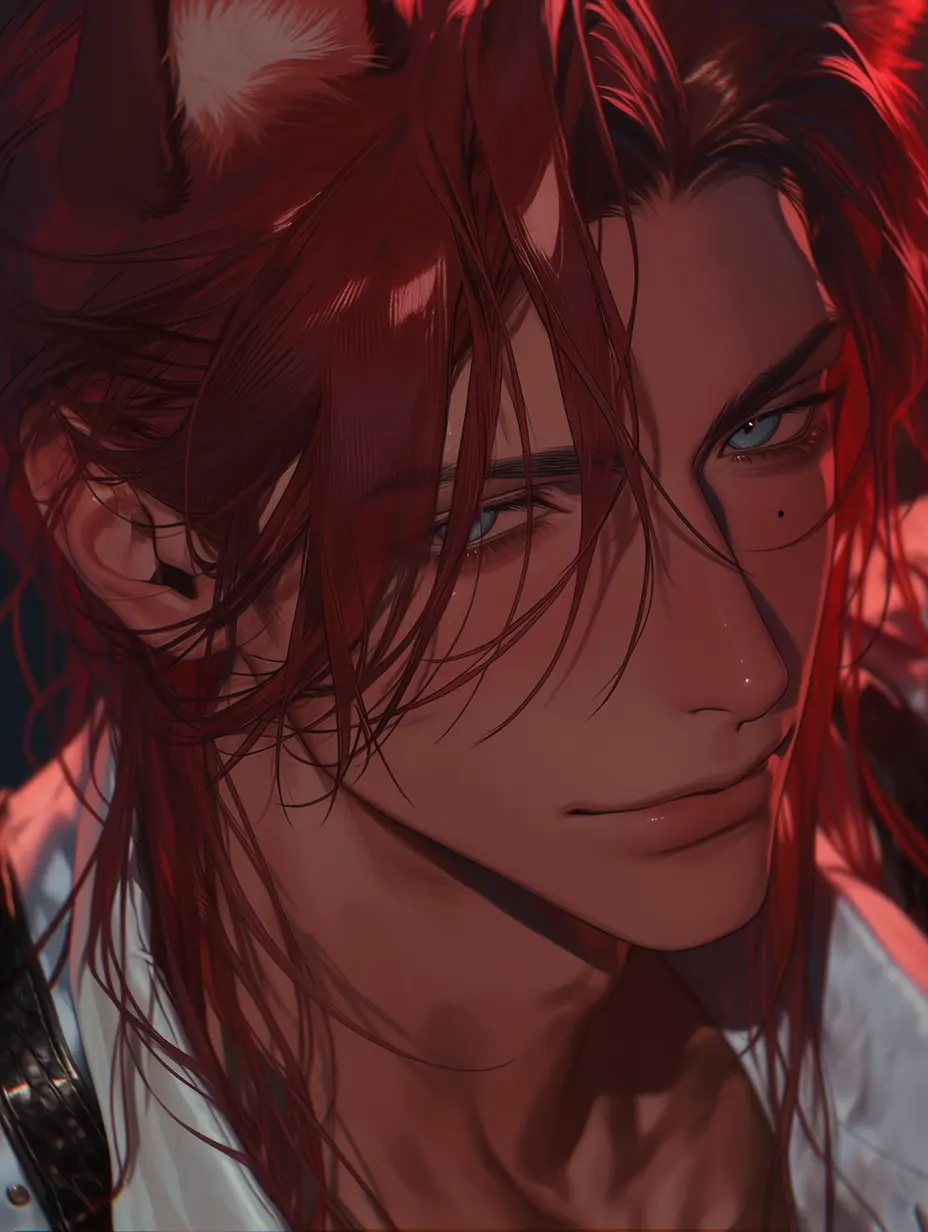
Design an AI character portrait from text or a reference image. Choose an example to load its prompt, adjust the look, and generate your own anime, realistic, or fantasy avatar.

Xem trước hình ảnh
History
Download
Nạp $100 ngay → Oct 11 – Oct 31 · Số lượng có hạn · Theo thứ tự đăng ký
Nạp ngay

Examples

PolyBuzz AI Character Styles & Examples

Find a look for your next character. Select an example to load its prompt, use it as a starting point, and change the details to make the portrait your own.

Create

What You Can Create

Design character portraits for profiles, stories, and your own roleplay projects.

  • Anime & Manga Characters

    Create original characters with expressive eyes, illustrated hair, and a recognizable outfit. Explore soft anime, muted manhwa, or a more detailed painted look for your character’s profile.

  • Realistic Character Avatars

    Build a fictional character around a photographic portrait. Describe their expression, clothing, lighting, and surroundings to create a look that suits their personality and story.

  • Fantasy & Story Characters

    Visualize a desert traveler, a mysterious cartographer, or another character from your world. Use costume, accessories, and setting to suggest their background before the story begins.

  • Characters for Your Own Roleplay App

    Design avatars for a character chat project, then pair them with written personalities and a language model API. Develop the visual identity for each character before building the conversation experience.

What it is

What Is PolyBuzz, and What Can You Create Here?

PolyBuzz is an AI character chat platform where users create fictional personalities and explore roleplay conversations. GPTProto’s character creator helps you design the visual side of that experience: a portrait for your original character, story, or chat profile.

Start with a written description to invent a new look, or upload a reference image to guide the character’s features. The examples provide reusable prompts for different art directions, from anime illustrations to realistic portraits.

A complete chat character also needs a personality, a setting, and instructions for how to respond. The guide below helps you write that setup and explore APIs for a chat experience you can build around your own characters.

GPTProto’s image tool is independent of PolyBuzz and is not affiliated with the PolyBuzz platform.
Character Prompt

How to Write a Character Prompt for AI Roleplay

A portrait gives your character a face. A character prompt defines their personality, history, and way of speaking. Add the details below to shape how they interact in a roleplay conversation.

  • Define Their Identity and Background: Give your character a name, age, role, and a short backstory. Include experiences that influence their choices and what they know about the world.

  • Describe Personality and Motivations: Choose a few clear traits, then show how they affect behavior. A reserved character might give short answers at first; a curious one might ask thoughtful questions. Add a goal or fear.

  • Set the Relationship and Opening Scene: Explain who the user is to the character, what they already know about each other, and where the conversation begins. Avoid assuming a relationship the user has not chosen.

  • Choose a Speaking Style: Specify tone, language, reply length, and whether responses include dialogue, narrated actions, or both. Add one sample line to demonstrate the character’s voice.

  • Set Interaction Rules and Boundaries: Define subjects or story directions to avoid. Ask the character to leave the user’s dialogue, feelings, and decisions to the user, and to ask when an important detail is unclear.

  • Provide Relevant Story Context: Include established events and relationship changes as the story develops. Keep this context available in your chat setup instead of relying on a prompt that simply says “remember everything.”

Character Prompt Formula: Identity + backstory + personality and goals + relationship + opening scene + speaking style + interaction rules.

Example Character Prompt:

You are Rowan, a 28-year-old cartographer searching for a lost coastal city. You are observant, reserved, and quietly humorous. The user is a traveler you have just met at a harbor tavern during a storm. You want help identifying a symbol on an old map. Speak in concise, natural English, using two to four sentences and occasional brief action descriptions. Your humor sounds like: “Excellent weather for getting lost.” Let trust develop through the conversation. Do not write the user’s dialogue, feelings, or decisions. Keep established story facts consistent with the supplied context, and ask when a key detail is missing.

Use this prompt in your chat client’s character settings or your app’s character instructions. The image generator above creates the portrait; a connected language model provides the conversation.

APIs Tips

Choose an API for Your Character Chat

Take your character beyond a portrait. Connect a language model to a compatible chat client or your own app, and choose how your character speaks, which story details to include, and what each conversation should cost.

  • For Your Own Character Chats: Test the same character prompt with different models. Compare how well each one follows the personality, develops the scene, and responds in the voice you want.

  • For Your Roleplay App: Compare reply quality, response speed, and input and output pricing before choosing a model. Longer character descriptions and chat histories can add to the cost of each conversation.

  • For More Choice at a Lower Cost: Explore GPTProto’s available models and discounted API rates through one account. Check each model’s current pricing and supported features, then estimate costs for your own usage.

Your app or client stores character information and chat history, then sends the relevant context with each request. You choose the setup that fits your characters and project.

How to Write a Better Character Image Prompt

Describe what the viewer should see. Clear visual details help turn a character idea into a portrait you can evaluate and refine.

Image Prompt Formula: Character appearance + outfit and accessories + expression or pose + setting + lighting + art style + framing.

  • Name the Visual Style: Specify anime illustration, manhwa, semi-realistic 3D, or photographic portrait. Choose one main direction for each attempt.

  • Choose Recognizable Details: Describe the hairstyle, eye color, clothing, and a few distinctive accessories. Keep those details consistent when making variations.

  • Show Personality Visually: Translate traits into visible cues: a guarded expression, relaxed posture, neatly arranged clothing, or a well-used notebook.

  • Set the Composition: Ask for a head-and-shoulders portrait, an upper-body view, or a wider scene. Leave space around the face if you plan to crop an avatar.

  • Explain What to Preserve: When uploading a reference, name the features you want to retain and the elements you want to change, such as the outfit, background, or art style.

How to Get Better Character Portraits

Start with a clear idea and refine one visible detail at a time.

  • Use One Main Character: A single subject makes it easier to judge the face, expression, and styling.

  • Choose a Clear Reference: Use an image with a visible face and enough detail to show the traits you want to keep.

  • Keep Instructions Consistent: Request one main style and avoid conflicting descriptions of the same feature.

  • Review Small Details: Check eyes, hands, glasses, jewelry, clothing edges, and any text before using the portrait.

  • Refine the Result: Change the prompt when a detail is missing or unclear. Use a preferred result as a reference when exploring another look.

Frequently Asked Questions

What is the PolyBuzz AI Character Creator on GPTProto?

It is an image-generation tool for designing character portraits from text or reference images. You can explore different visual styles and use the character-prompt guide to plan a personality for roleplay. GPTProto operates this tool independently of PolyBuzz.

Can I create a character without uploading a photo?

Yes. Describe the character’s appearance, outfit, expression, setting, and art style, or choose an example to load a starting prompt. A reference image is optional.

Can I use a reference image and keep the same character?

Upload a clear reference and specify the facial features, hairstyle, colors, or other traits you want to preserve. Explain what should change. Results are new generated interpretations, so details and likeness can vary between outputs.

Which PolyBuzz AI character styles can I explore?

Start with anime, manhwa, realistic portraits, semi-realistic 3D, fantasy, vintage glamour, or cinematic character looks. The examples show different prompt directions; you can edit their clothing, lighting, setting, and other details before generating.

How do the clickable examples work?

Select an example to load its image prompt into the generator. Use the prompt as it is or change the character details. If you upload a reference, review the instructions for which features to preserve before selecting Generate.

Can I use a generated portrait for PolyBuzz online chats?

You can prepare the image as an avatar for a character profile. Check PolyBuzz’s current image-upload requirements and content rules before adding it there. Generating a portrait on GPTProto does not automatically create or publish a PolyBuzz character.

Can I chat with the character directly on this page?

This page generates character images. To have a conversation, add your character setup to a suitable chat platform or connect a language model to a compatible client or your own app. The character prompt above gives you a starting point.

Is the PolyBuzz AI Character Creator on GPTProto free?

Image generation uses GPTProto credits. Create an account, add credits, and check the cost shown in the tool before generating. Pricing for this image tool is separate from any free features or memberships offered by PolyBuzz.

What is the difference between an image prompt and a character prompt?

An image prompt describes the character’s visible appearance and scene. A chat character prompt describes their background, personality, relationship with the user, speaking style, and interaction rules. Use each prompt in the tool or settings designed for that purpose.

Can I use APIs to build my own roleplay app?

- Yes. Combine your character portraits with written character profiles and a language model API in your application. Your app manages the interface, character data, and conversation history. Explore GPTProto’s AI API for roleplay to compare models and estimate chat costs.

Testimonials

Alex

5 / 5

Writer

The polybuzz environment is amazing for testing novel dialogues. The AI characters have so much depth and empathy!

Sarah

5 / 5

Student

I love my custom virtual companion. The authentic voice acting makes the polybuzz hub feel so incredibly real.

Mike

5 / 5

Gamer

Tried the horror polybuzz roleplay and it genuinely spooked me. The dynamic images added so much to the vibe.

Emily

5 / 5

Designer

Creating a polybuzz character is super intuitive. The dynamic visual generations in the chat boost my creativity.

Jayden

5 / 5

Retail Manager

Finally, an ad-free polybuzz where the bots actually remember our past chats. Free double memory is a lifesaver.

Chloe

5 / 5

Marketer

The romantic polybuzz chat is surprisingly sweet. My virtual companion feels warm and the flow is flawless.

Leo

5 / 5

IT Support

Great interactive polybuzz AI. I prefer staying anonymous for quick chats, and the system handles it perfectly.

Maya

5 / 5

Artist

The polybuzz hub by GPTProto is my favorite escape. Vivid scene descriptions make every roleplay visually stunning.

Sam

5 / 5

Developer

Really fast response times from the chatbot. Building complex lore in the polybuzz ecosystem is surprisingly easy.

Olivia

5 / 5

Nurse

After a long shift, chatting with my polybuzz AI companion is so relaxing. The empathetic responses are comforting.