What Is Banana Prompts XYZ?
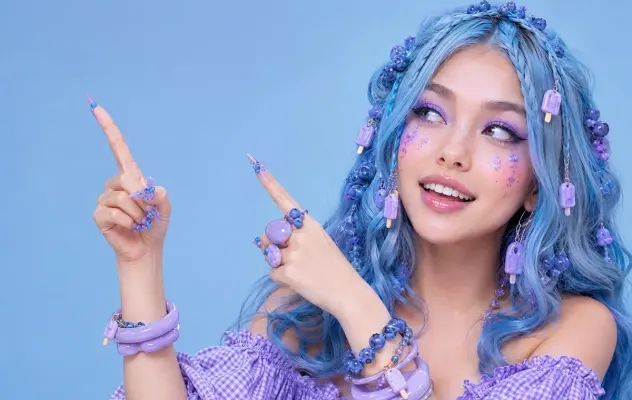
Banana Prompts XYZ organizes community-facing AI prompts alongside generated examples. At the time of this review, Google indexed separate image and video galleries, Explore pages, creator profiles, and individual prompt pages for the site. That search footprint tells us more than an unverified “thousands of prompts” claim: the product is designed around browsing, creators, and individual examples rather than a single long prompt list.
The library sits between a mood board and a prompt archive. A mood board shows the visual direction but not the instruction behind it. A plain prompt archive gives you text but often hides the result. Pairing the two helps you answer the first useful question: Is this idea close enough to my target to be worth testing?
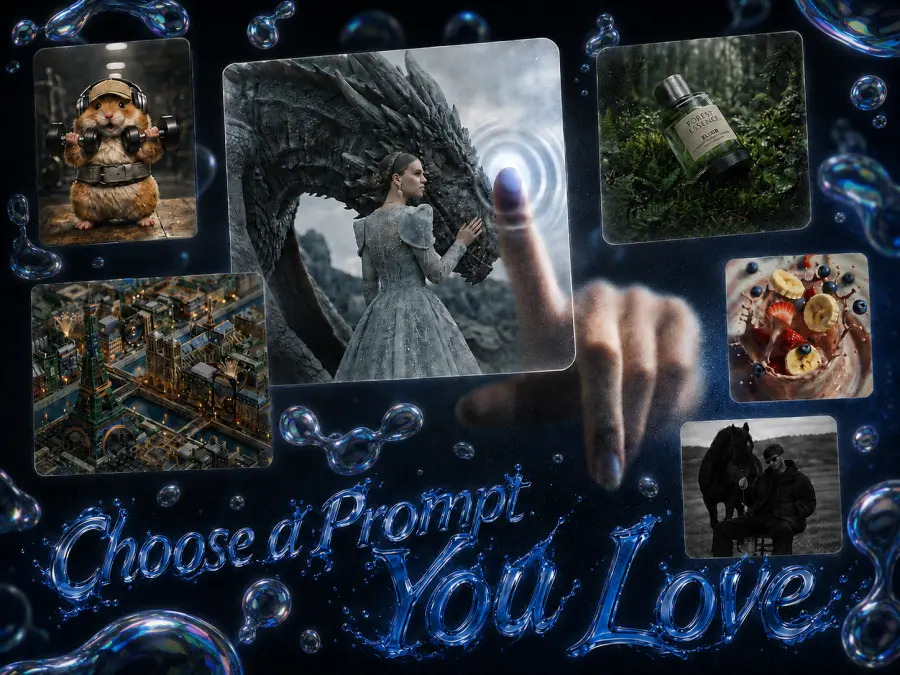
It does not answer every question needed for reproduction. A finished image may depend on a reference photo, model version, aspect ratio, seed, safety behavior, or edits made after generation. If those details are missing, the prompt is evidence of an approach—not proof that the same text will reproduce the same output.
What the Live Site Lets You Browse
The indexed site structure exposes several ways to enter the collection:
| Surface |
What it is useful for |
What to verify before copying |
| Image gallery |
Finding composition, lighting, portrait, product, or illustration ideas |
Source model, reference inputs, aspect ratio, and any post-processing |
| Video gallery |
Studying scenes, camera moves, pacing, and motion language |
Clip duration, start image, model-specific controls, and audio workflow |
| Explore and tag pages |
Narrowing a large collection by a visible theme |
Whether the tag describes content, style, model, or creator intent |
| Creator profiles |
Following a person whose examples match your work |
Usage permission and whether credit is expected |
| Individual prompt pages |
Inspecting one prompt beside its generated result |
Hidden settings and whether the displayed result came from the exact text shown |
Search results also expose a sign-in path for sharing prompts. That makes the community layer relevant if you want to contribute, but it is not a quality certificate. Popularity can tell you that an image attracted attention. It cannot tell you that the prompt is original, portable, or suitable for commercial work.
The sensible browsing order is visual first, details second. Find a result whose framing already matches your task, then inspect the text and inputs. Searching for a vague style such as “cinematic” first usually produces too many unrelated options.
Where the Library Saves Time
It shortens the blank-page phase
Most prompt failures begin before the model receives anything. The request lacks a clear subject, composition, action, or output format, so the generator fills those gaps. A visual library gives you a concrete target and a sentence structure to examine.
That is especially useful for layouts. If you need a 4:5 product poster with headline space above the object, start from a prompt that already describes a vertical advertising composition. Replacing the product is easier than converting an unrelated landscape scene into an ad.
It gives you vocabulary for visual decisions
Examples can teach useful terms: three-quarter portrait, low-angle shot, shallow depth of field, rim lighting, rack focus, slow dolly-in. The terms are not magic tokens. They are compact ways to describe choices that would otherwise take a full sentence.
The tradeoff is imitation. If you preserve every noun, lighting cue, camera term, and color from an example, you are likely to reproduce its visual logic rather than develop your own. I would copy the structure, then replace the creative decisions.
It helps with rough storyboards and mood boards
For early planning, speed matters more than exact reproduction. A team can collect a few examples, label what each one contributes, and decide on framing before spending time on final prompts or reference assets.
That advantage shrinks later in production. Brand work needs controlled text, approved colors, licensed assets, and repeatable review. At that point, a saved prompt should become a documented template with explicit variables—not remain a paragraph copied from a gallery.
Where Copy-and-Paste Prompts Break Down
The prompt may have been written for another model
Image and video models do not interpret instructions identically. One may follow long prose well; another responds better to concise clauses. Some support several reference images, while others accept one or none. Video controls such as first frame, last frame, camera motion, and duration also vary.
Portability is partial. Keep the creative intent, then rewrite the control language for the model you are actually using.
The displayed result may depend on missing inputs
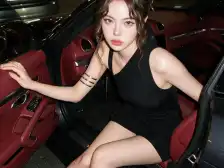
A portrait prompt can look remarkably consistent because the creator supplied a face reference. A product image may preserve packaging because an input photo carried most of the visual information. Text alone cannot replace those assets.
This is the most common mistake I see with shared prompts: people copy the words, omit the reference image, and blame the model when the identity or product shape changes.
Character consistency is not guaranteed
Repeated descriptions help, but they do not lock identity. Stable characters usually require a combination of reference images, unchanged identity traits, controlled clothing and accessories, similar framing, and a model that supports the workflow.
Even then, inspect the details. Eye color, jewelry, jacket seams, age, and facial proportions can drift between generations. “Same character” is an instruction, not a checksum.
Text and factual graphics need verification
Google’s official Nano Banana Pro prompting guidance warns that small text, exact spelling, factual visuals, multilingual copy, complex edits, and character consistency can still fail. Those are model limitations, not problems a longer gallery prompt automatically fixes.
For an infographic, verify every number and label after generation. For a localized poster, have a fluent speaker review the text. For a product image, compare the result with the approved packaging.
Provenance matters in commercial work
A publicly visible prompt is not automatically licensed for every use. Before using a community example in paid work, check the creator attribution, the site’s current terms, the rights to any reference image, and whether the output imitates protected brand assets or a living artist’s work too closely.
There is no need to assume wrongdoing. There is also no reason to skip the check.
How to Adapt a Prompt Instead of Cloning It
Google describes Nano Banana Pro as Gemini 3 Pro Image and recommends defining the subject, composition, action, location, and style. Camera, lighting, format, exact text, factual constraints, and reference-image roles can then be added when the task requires them.
I use a three-pass rewrite.
Pass 1: Identify the prompt’s structure
Label each part instead of editing words at random:
[asset type] + [subject] + [action] + [location]


+ [composition] + [style]


+ [camera and lighting]


+ [exact text]


+ [reference-image roles]


+ [constraints] + [output format]
If a sentence does not control one of those fields, question whether it needs to stay.
Pass 2: Separate fixed details from variables
Suppose the source idea is a studio product poster. Your fixed details might be the bottle shape, logo, and label. The variables might be background color, headline, camera angle, and seasonal decoration.
Write that distinction directly:
Create a 4:5 studio advertisement for the bottle in Reference A.
Preserve the bottle shape, cap, logo, and label exactly.
Place it on a pale stone pedestal against a muted blue background.
Use a low camera angle, soft side light, and a restrained silver palette.
Render the exact headline "COLD FOR THE LONG HAUL" at the top.
Do not add extra packaging, fruit, condensation, or small footer text.
That version is easier to review because every sentence has a job.
Pass 3: Change one group at a time
Run a baseline. If the composition is wrong, change composition and camera language while leaving the product, lighting, and text alone. If the text fails, shorten it or increase the space around it without rewriting the scene.
One change at a time feels slower. It is faster than losing track of why the previous image was better.
Turn a working prompt into an API request
Once the template is stable, an API makes repeated variants easier to log. The example below follows GPT Proto’s current Gemini 3 Pro Image API Guide. It uses Python’s standard library, so no third-party package is required.
import json
import os
import urllib.request

API_KEY = os.environ["GPTPROTO_API_KEY"]
SUBMIT_URL = (
    "https://gptproto.com/api/v3/google/"
    "gemini-3-pro-image-preview/text-to-image"
)

payload = {
    "prompt": (
        "Create a 4:5 studio advertisement for a matte white insulated "
        "bottle on a pale stone pedestal. Use soft side light and render "
        "the exact headline COLD FOR THE LONG HAUL at the top."
    ),
    "output_format": "png",
    "aspect_ratio": "4:5",
    "size": "1K",
    "enable_base64_output": False,
    "enable_sync_mode": False,
}

def get_json(request):
    with urllib.request.urlopen(request, timeout=60) as response:
        return json.load(response)

submit_request = urllib.request.Request(
    SUBMIT_URL,
    data=json.dumps(payload).encode("utf-8"),
    headers={
        "Authorization": API_KEY,
        "Content-Type": "application/json",
    },
    method="POST",
)

job = get_json(submit_request)
data = job["data"]
result_url = (data.get("urls") or [{}])[0].get("get")
if not result_url:
    result_url = (
        "https://gptproto.com/api/v3/predictions/"
        f"{data['id']}/result"
    )

result_request = urllib.request.Request(
    result_url,
    headers={
        "Authorization": API_KEY,
        "Content-Type": "application/json",
    },
)

print(json.dumps(get_json(result_request), indent=2))
The /api/v3/ endpoint uses the raw API key in the Authorization header—no Bearer prefix. An asynchronous job may still be pending when the result URL is queried, so production code should retry with backoff and handle 401, 403, 429, and server errors.
Who Should Use Banana Prompts XYZ?
The library fits some stages of work better than others.
| Use it when… |
Do not rely on it alone when… |
| You need a visual starting point |
You need reproducible output across a large batch |
| You are learning composition or camera vocabulary |
The asset contains regulated or factual information |
| You are building a rough mood board or storyboard |
Licensing and provenance must be documented |
| You want to compare several creative directions quickly |
Character identity or product geometry cannot drift |
| You are willing to rewrite the example for your model |
You expect copied text to reproduce the displayed image |
For individual experiments, the speed advantage is real. For a production pipeline, treat the gallery as research. Save your final prompt, inputs, model identifier, settings, output, and review notes in your own system.
Need a Banana Prompts XYZ Alternative?
You may want another prompt library if your priority is free browsing, a direct editing path, or API access rather than creator discovery. The separate Banana Prompts XYZ alternative guide compares that workflow without turning this review into a second alternatives list.
GPT Proto’s Nano Banana Pro prompt gallery lets you browse and copy examples without an account, then use Use Idea to move one into generation. Signing in is required to generate, and generation may consume credits. You can also browse the wider image model collection when one model does not fit the task.